Bring your writing partner onto the same pages
You and your partner pass one file back and forth. Every round, someone's changes land on top of the other's. You want to write in the same pages and see each other there.
Invite your partner as a Collaborator. You both write in the same Working Pages, at the same time or at different hours. Each of you sees the other's typing as it happens, and nobody's work overwrites anyone else's.
 DW FerrellCo-founder & CTO, StoryFlow
Step 1 of 6
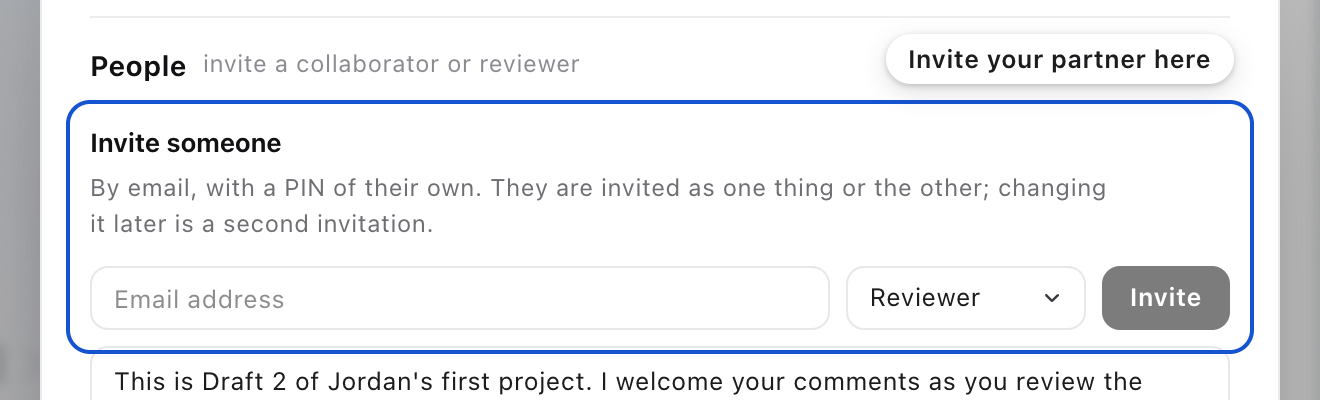
Open Share
Press Share in the top bar. You see it only on a project you own. People opens first, with Invite someone under it. The faces beside Share open the same place.
Step 2 of 6
Invite your partner as a Collaborator
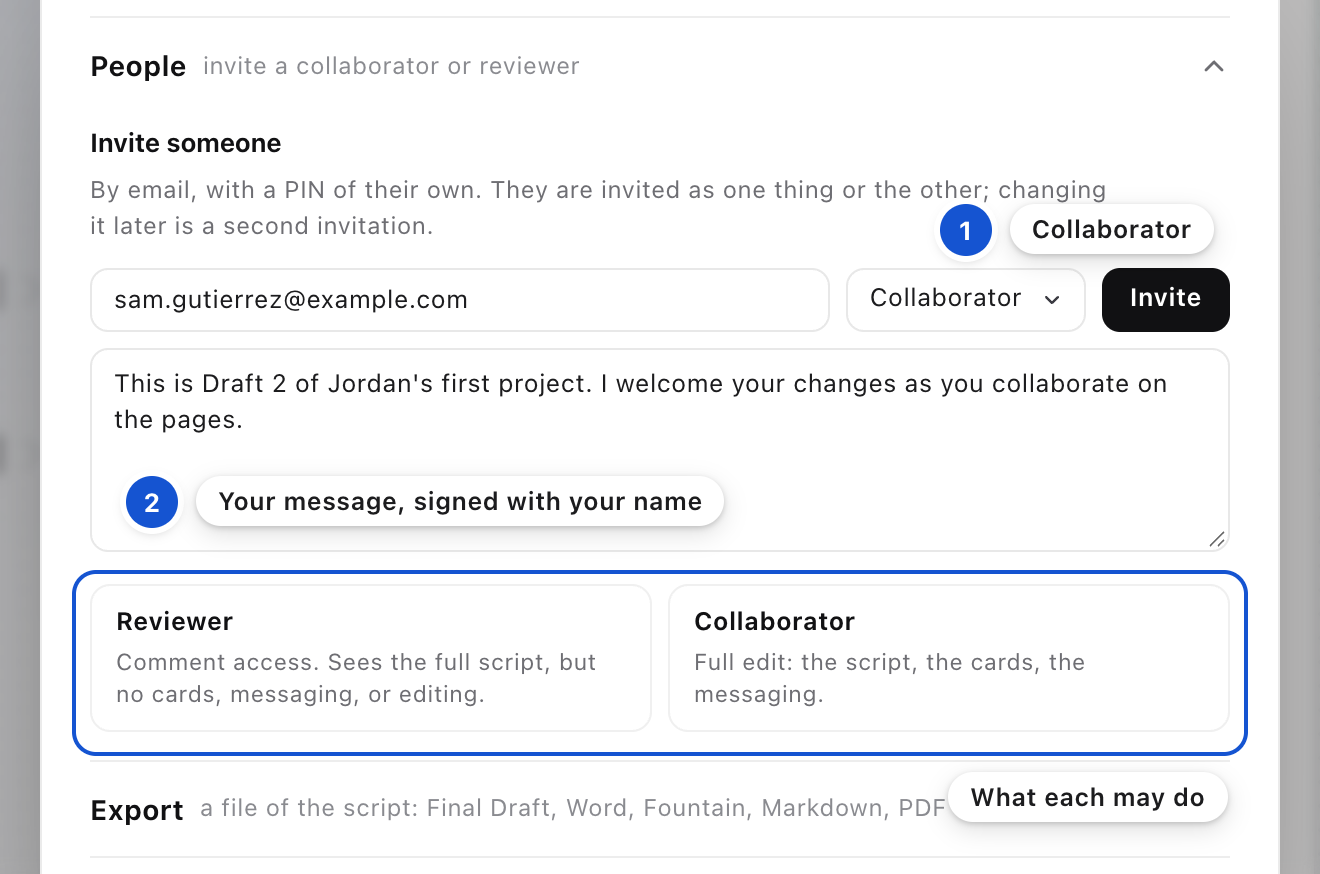
Type their email address, then set Invite as to Collaborator. Reviewer comes first because it's the safer choice. Under the field, each role says what it may do:
ReviewerComment access. Sees the full script, but no cards, messaging, or editing.
CollaboratorFull edit: the script, the cards, the messaging.
A message is already written for you, and it changes with the role: a Collaborator is welcomed to make changes, a Reviewer to comment. Change it if you like. It's quoted in the mail and signed with your name. Then press Invite. Your partner gets an email with your message and a way in. If they already write in StoryFlow, they come in with the PIN they have.
For a Reviewer you also choose who reads their notes: everyone you invite, or just you.
Step 3 of 6
Remind them if they haven't opened it
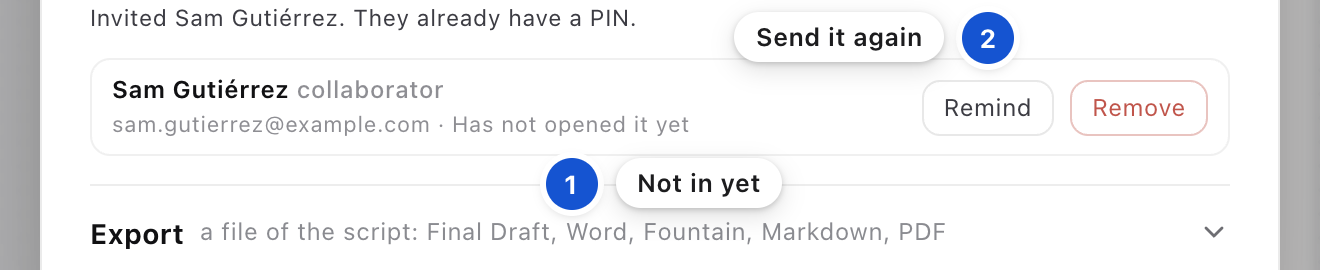
Your partner now has a row under Invite someone. Until they open the project, it reads Has not opened it yet, with Remind beside it. Press Remind and the invitation goes again, with the way in. The row then says Sent. Once they've opened the project, it says the day they did.
Step 4 of 6
See who's here
The faces at the top of the studio are everyone on the project. A face in its own color, with a green dot, is in the project right now. A gray face is not. Press a face to open Share on the people in the project. Point at a face to see whose it is.

Step 5 of 6
Write side by side
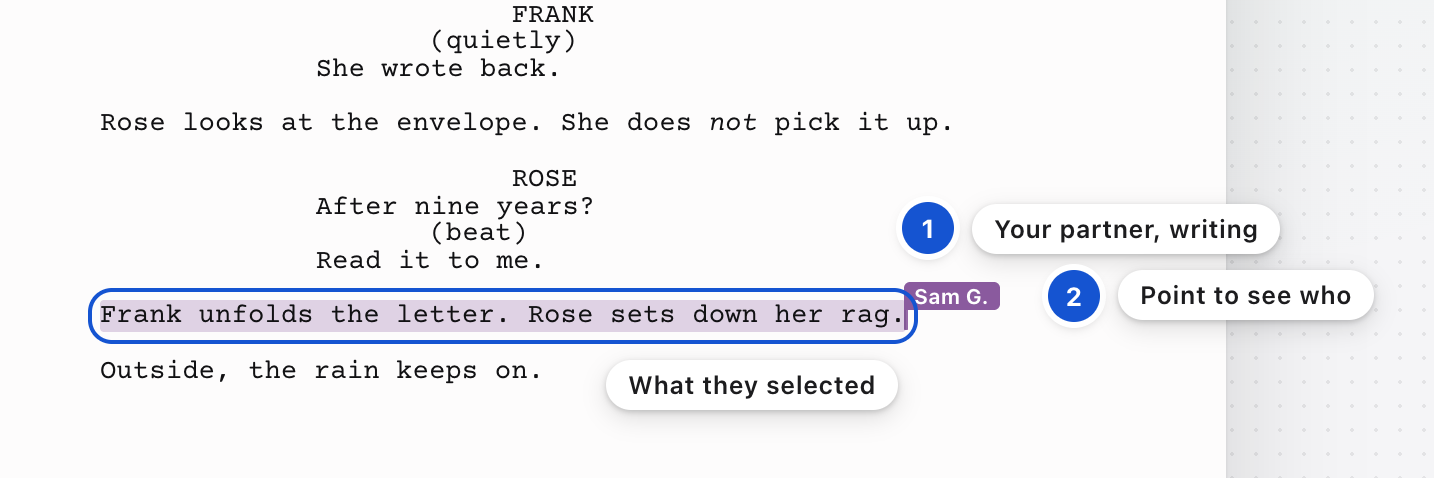
What your partner types shows on your page as they type it, and what you type shows on theirs. Their caret is drawn in the color their face wears, and so is anything they select. Point at the small square at the top of their caret to see their name. When your partner steps into Messages, their caret stays where they left it, so you can see which line they had in mind.
Step 6 of 6
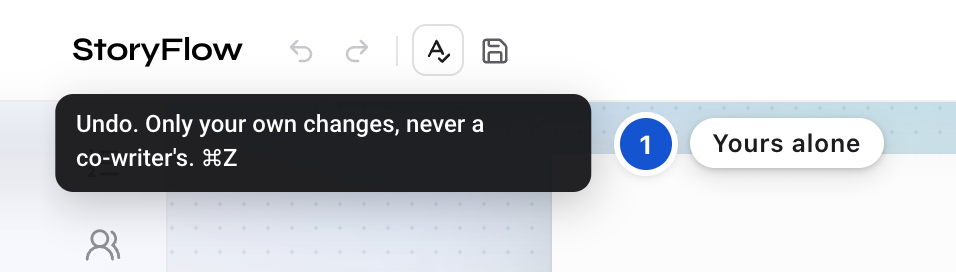
Undo only your own work
Cmd+Z takes back your own changes, never your partner's. So does the back arrow at the top left. Rest the pointer on it and it tells you so.
Good to know
- Your pages are never used to train anything.
- Only the project's owner sees Share and saves its Drafts. If your partner presses the Save icon, a message to you asks for one, in Messages. Under it, you press Save a Draft or Not now.
- Invited them as the wrong one? Press Remove on their row in Share, and invite them again as the other. A role is set when you send, so changing it is a second invitation. What they already wrote stays credited to them.
- Each card belongs to whoever made it. Your partner can read yours, put it on the page and tick its tasks. To change it, they press Duplicate for a copy of their own.
- To talk to your partner without the Advisor joining in, type @ in Messages and pick them.
- You may also see Meehna's and DW's faces. StoryFlow's founders are on your projects to help. In a project of your own, send SOLO in Messages and they step out until you tag one of them with @.
In this guide, on the feature list
Invite someone to your project by emailInvited a collaborator by accidentRemind someone who has not opened it yetSee who is here right nowWrite together on the same pages at the same timeSee each other's cursor and selection in your own colorUndo and Redo buttons you can seeCollaborators' cards are theirs, and you can Duplicate themA project you keep SOLO stays yours