Send the script to your producer with one link
You sent a PDF on Monday, revised on Wednesday, and now three versions are going around. You want everyone reading the same pages. You also don't want anyone reading what you're still working on.
Send one project link. Anyone who opens it reads your last Draft, or the Draft you choose to feature, and never your Working Pages. You can set the day it ends, see who opened what, and turn it off.
 DW FerrellCo-founder & CTO, StoryFlow
Step 1 of 7
Save a Draft of the pages you mean to send
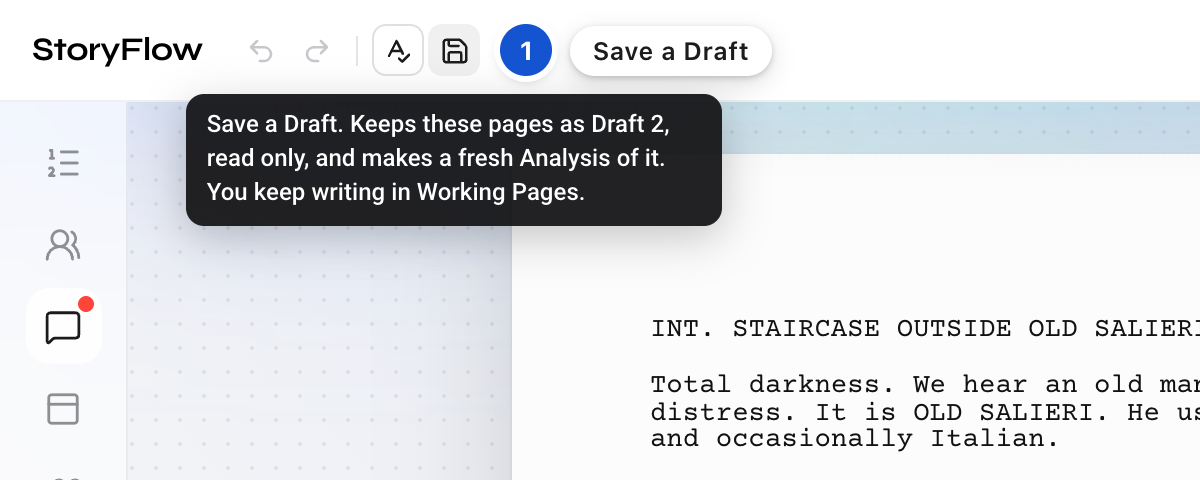
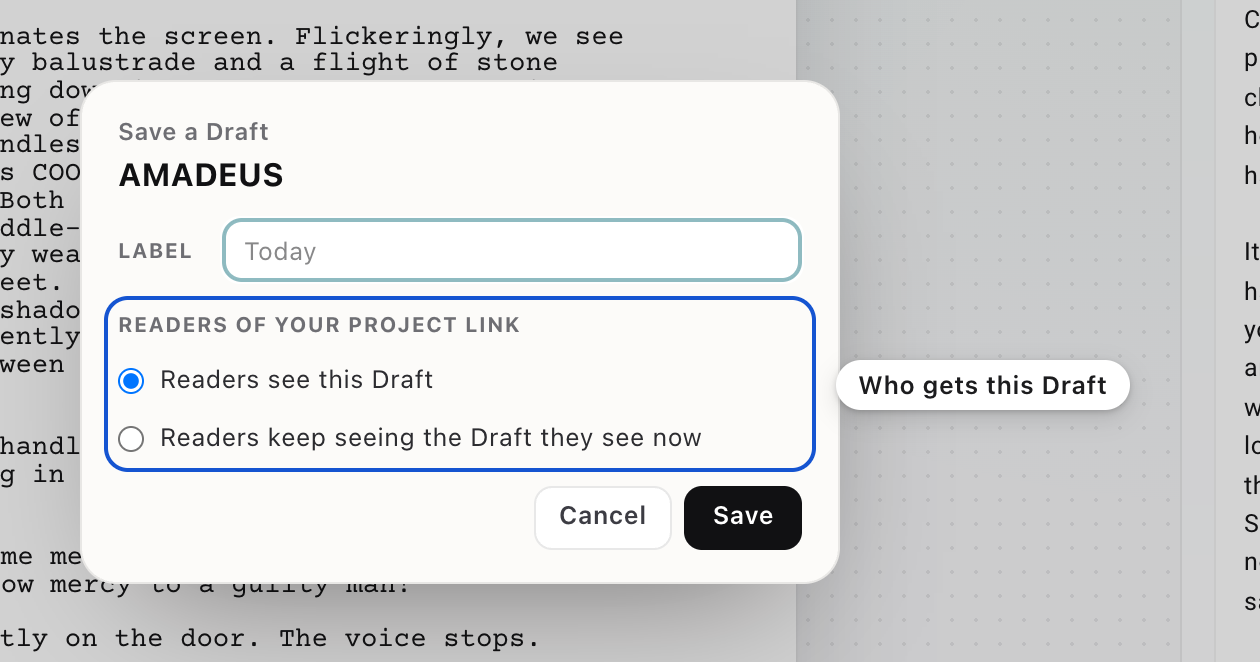
Readers of the link see a saved Draft, never your Working Pages. So when the pages are ready, press the Save icon at the top left, after Undo, Redo and the spelling switch. A small window opens: give the Draft a label if you like. Once you have a project link, the window also asks about Readers of your project link: Readers see this Draft, or Readers keep seeing the Draft they see now. Press Save. Your Working Pages are kept as a dated, read-only Draft, and you keep writing.
Step 2 of 7
Make the project link
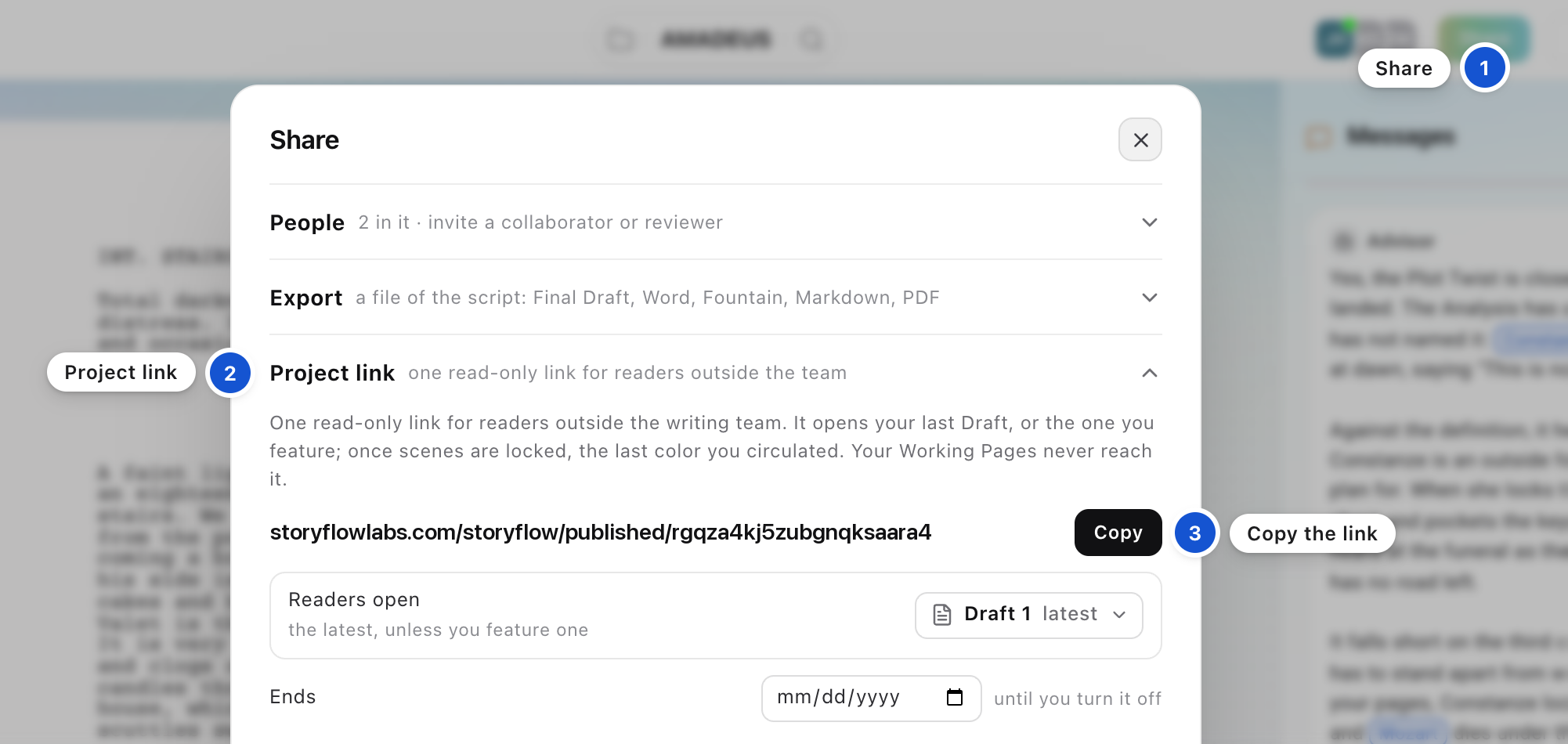
Press Share in the top bar and open Project link. The first time, press Make the project link; it can take a few seconds. Then press Copy beside the link.
Step 3 of 7
Choose the Draft readers open
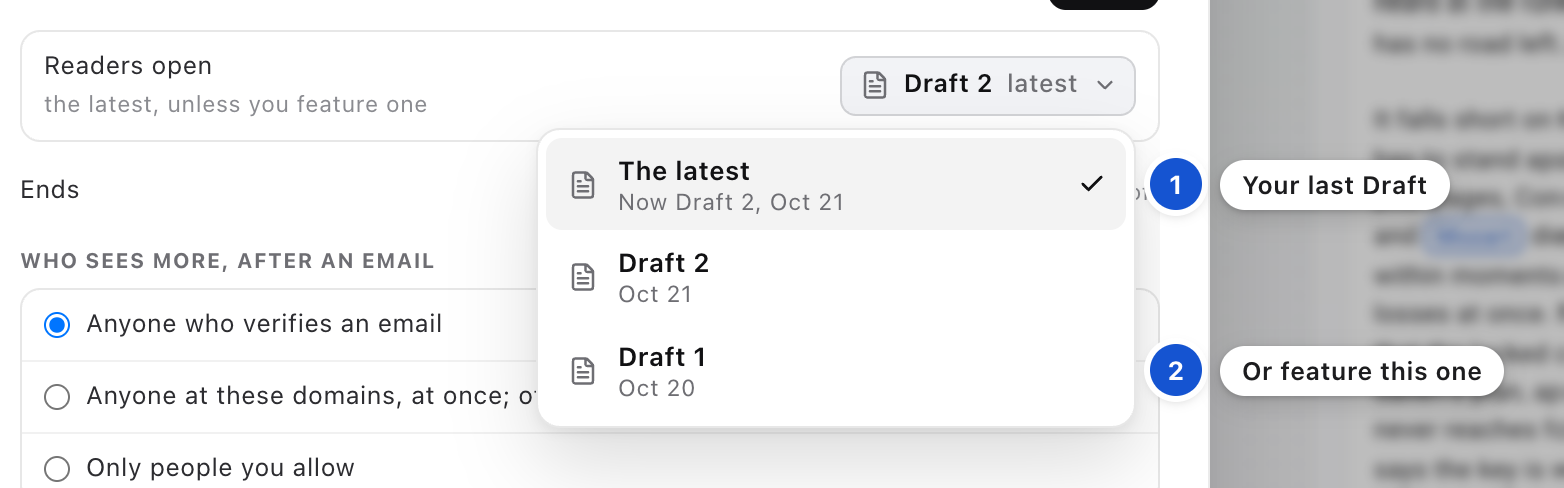
In the Readers open row, you see which Draft readers get. The latest is your last Draft, or the last color you circulated. To send a particular Draft instead, press the menu and pick it: readers then open that one until you change it.
Step 4 of 7
Set an end date, if you want one
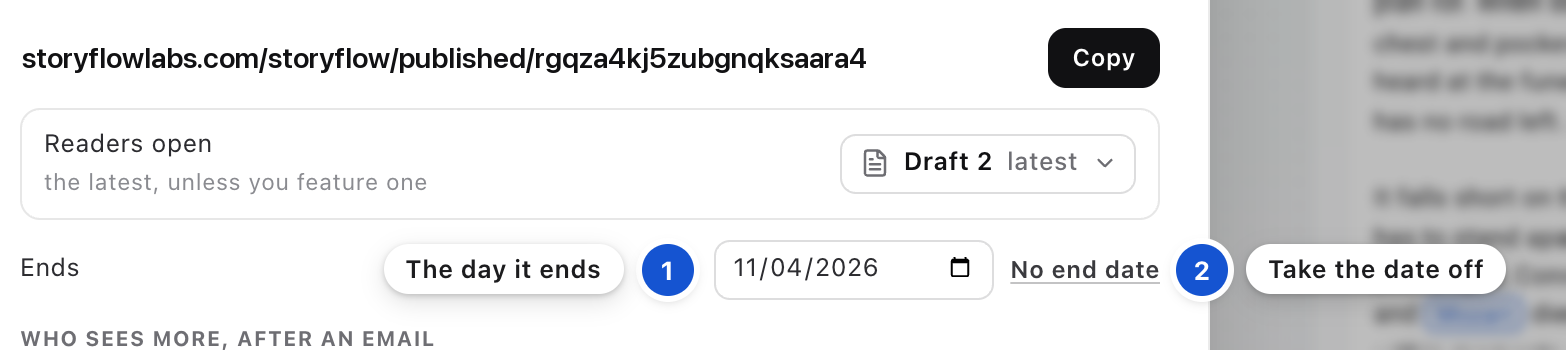
Under Ends, pick the day the link stops working. Once a day is set, No end date appears beside it and takes the day off again. With no date set, the link works until you turn it off.
Step 5 of 7
Send it
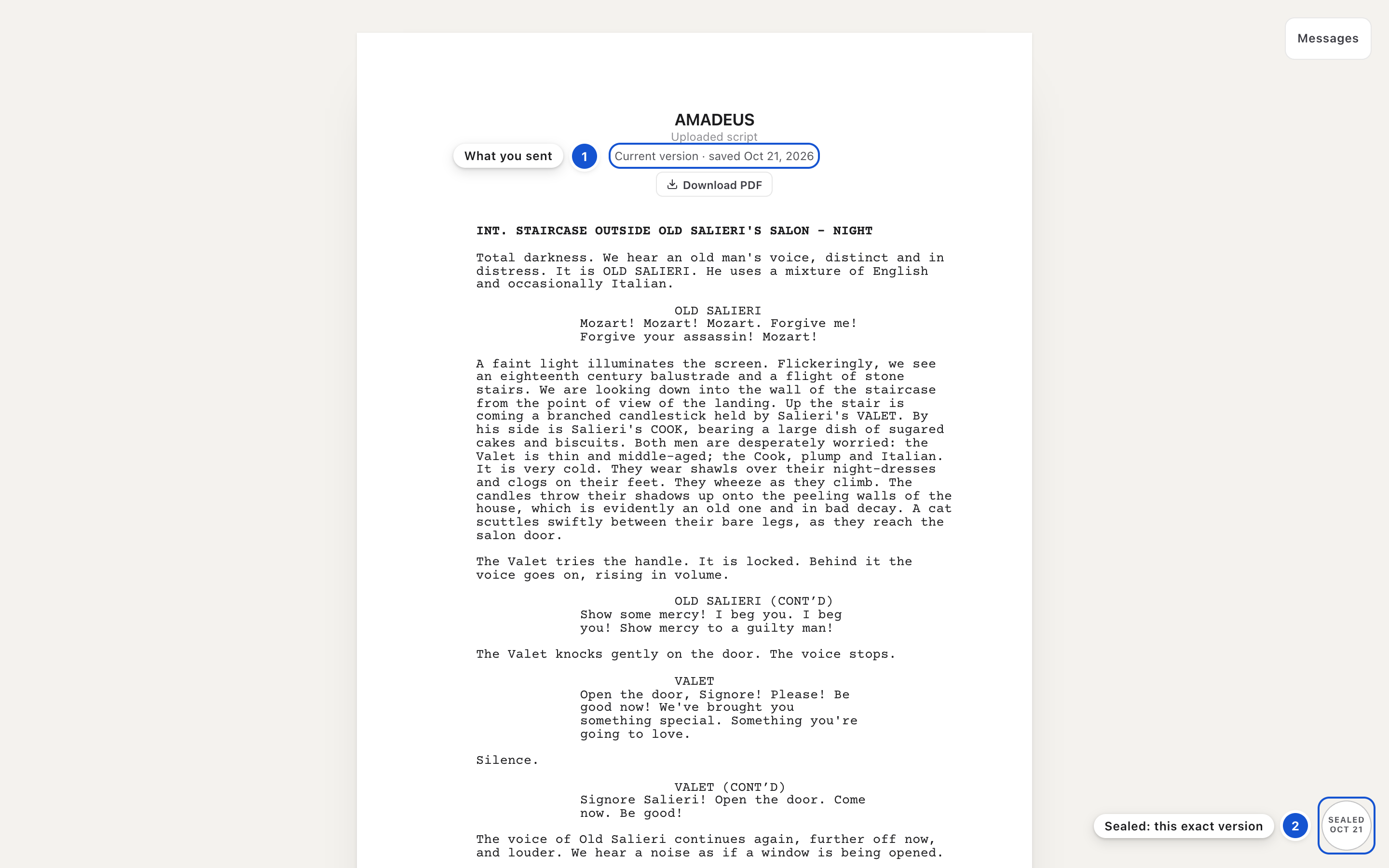
Paste the link into your email or message. Anyone with it reads the script without signing in. In the corner of the reader's page is a round stamp, Sealed, with its date: that is the Provenance Seal. It means these pages are exactly as they were when the Draft was sealed.
Step 6 of 7
See who opened what
Back in Project link, once the link has been opened, Who opened what lists each opening with its day and time. If the list looks behind, close Share and open it again. A reader who verified an email shows by their address. Someone who never gave one shows as "someone with the link".

Step 7 of 7
Turn it off
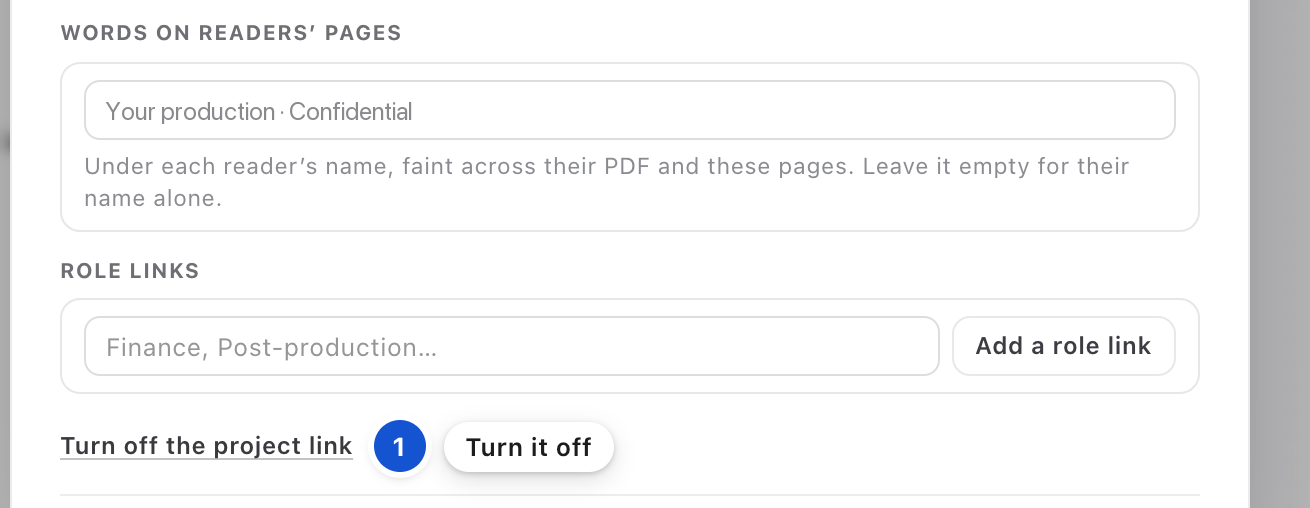
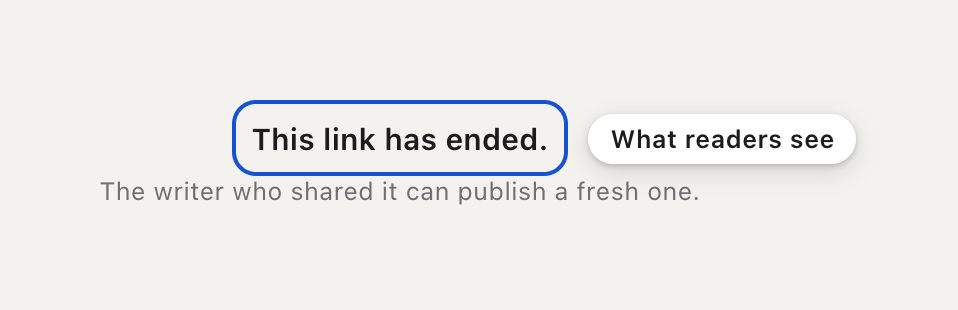
When the link should end, press Turn off the project link, at the foot of the section. Anyone who opens it after that reads "This link has ended." Any role links you made end with it. If you make the project link again later, it has a new address, so send the new one.
Good to know
- Only the project's owner sees Share and saves its Drafts. A collaborator who presses the Save icon sends the owner a request in Messages instead.
- A reader who verifies an email can open the earlier drafts you offer, and you choose who may: anyone who verifies an email, people at your domains, or only people you let in. Verified readers can also write to you from the link; their words reach you in Messages and by email.
- For a group such as finance or casting, add a role link, such as Finance, under Role links. Each one is counted on its own, and you can turn each off without touching the others.
- Press the Sealed stamp on a reader's page to see where the pages came from; Check the Provenance Seal, at its foot, opens the certificate. The Provenance Seal is about the pages. Who wrote them is Proof of Authorship, a separate record.
In this guide, on the feature list