Keep writing in Final Draft, and keep StoryFlow in step
You rewrote the second act on a plane, in Final Draft, and now the version in StoryFlow is behind. And the typo you fixed in StoryFlow last week isn't in your Final Draft file.
Export your pages, and they go back into your own Final Draft file. When you bring the next draft back in, it becomes the next Draft here: the old one is kept, and the Advisor offers to carry over the fixes you made in StoryFlow.
 DW FerrellCo-founder & CTO, StoryFlow
Step 1 of 6
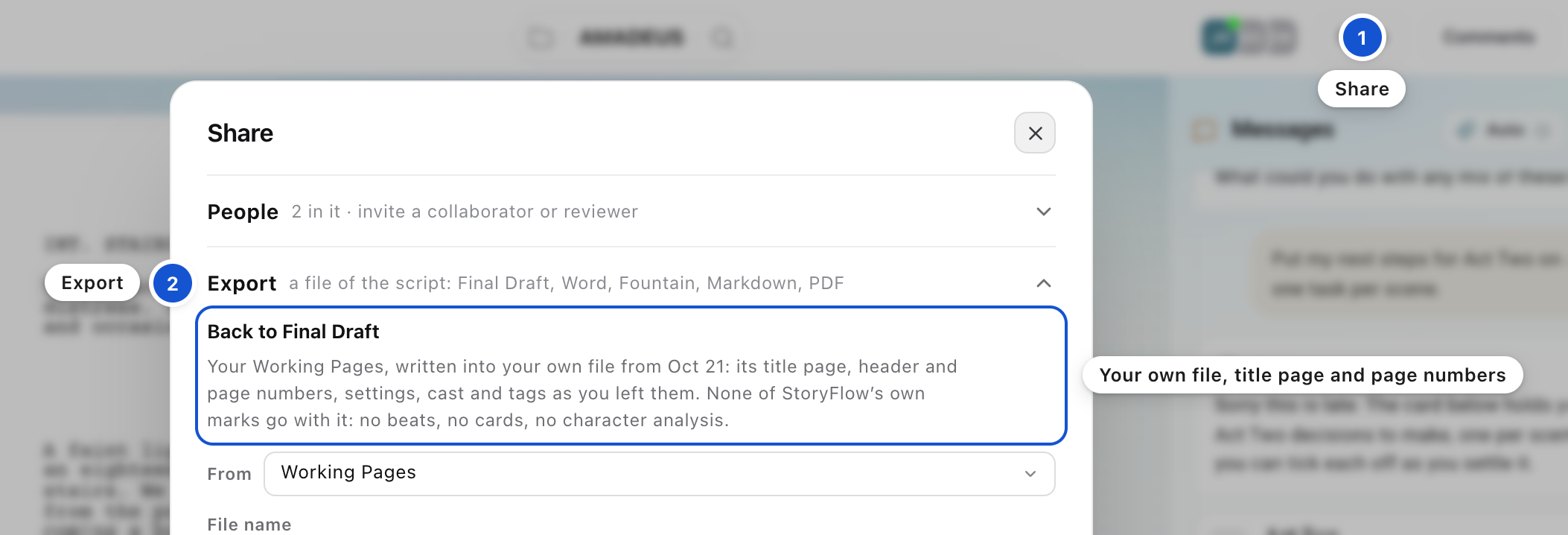
Open Export
Press Share in the top bar, then press Export. If the script came in from Final Draft, the section is headed Back to Final Draft. Your Working Pages are written into your own file, with its title page, header and page numbers, settings, cast and tags as you left them.
Step 2 of 6
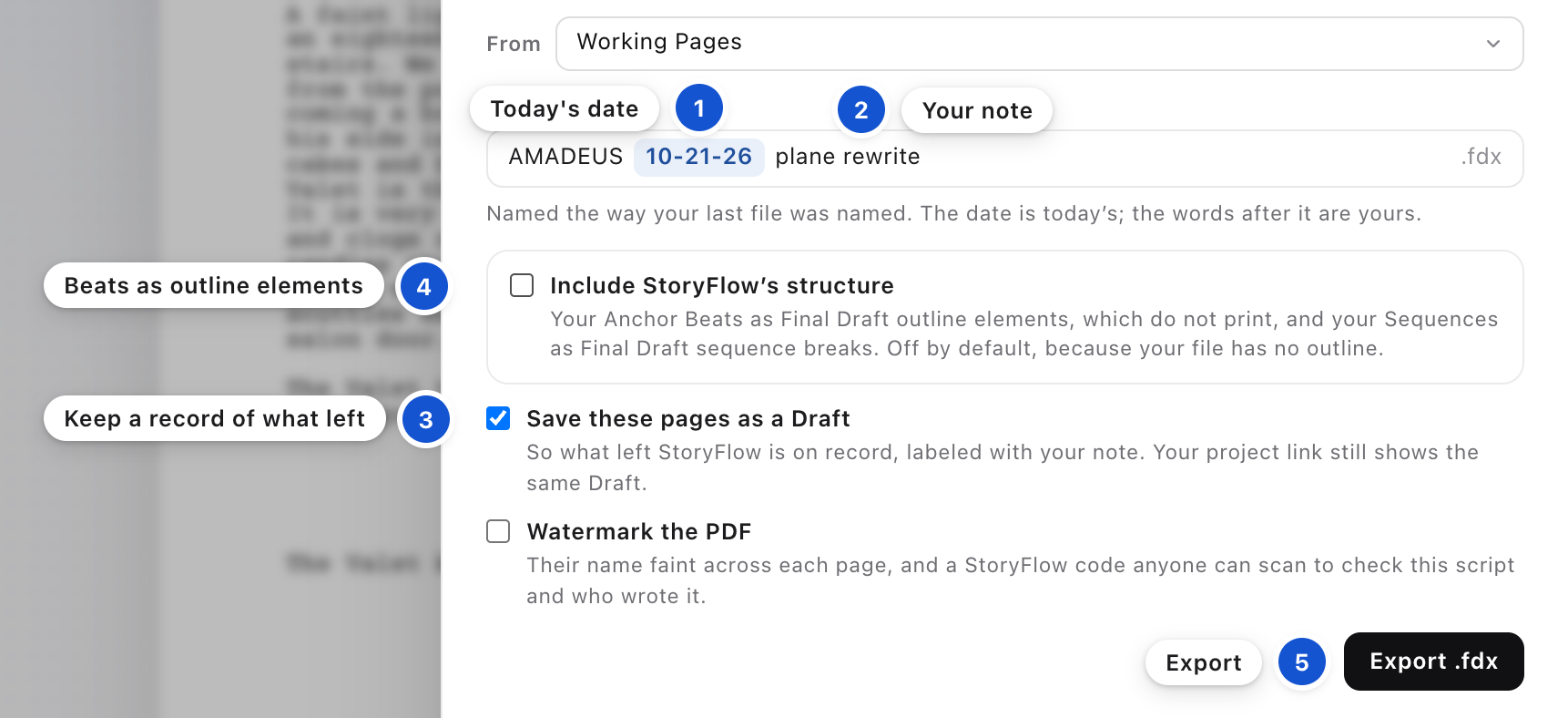
Name the file, and export it
The file is named the way you named your last file, with today's date; type a note after the date if you want one. Save these pages as a Draft is already ticked: it keeps a record here of exactly what left, labeled with your note. Tick Include StoryFlow's structure if you want your Anchor Beats in the file, as Final Draft outline elements that do not print. Press Export .fdx; the file downloads, and you open it in Final Draft.
Step 3 of 6
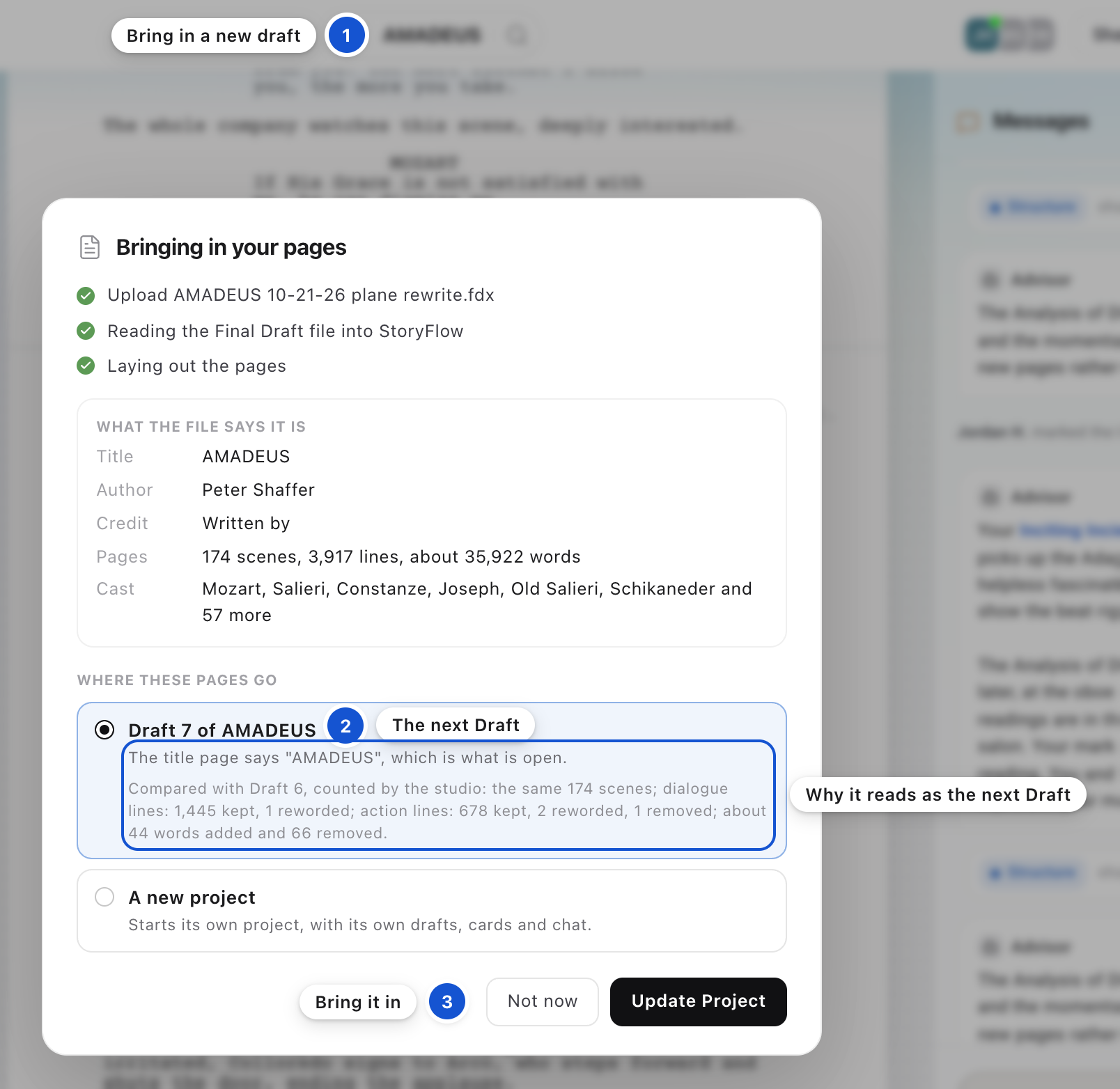
Bring the next draft back in
When you're done in Final Draft, press the folder at the left of the project name and choose Bring in a new draft, or drag the file onto the page. In the window, the next Draft of your title is already chosen under Where these pages go, with a count of the lines kept, reworded and removed since your last Draft. Your Working Pages are kept as a Draft of their own first, so the number may skip one. Press Update Project.
Step 4 of 6
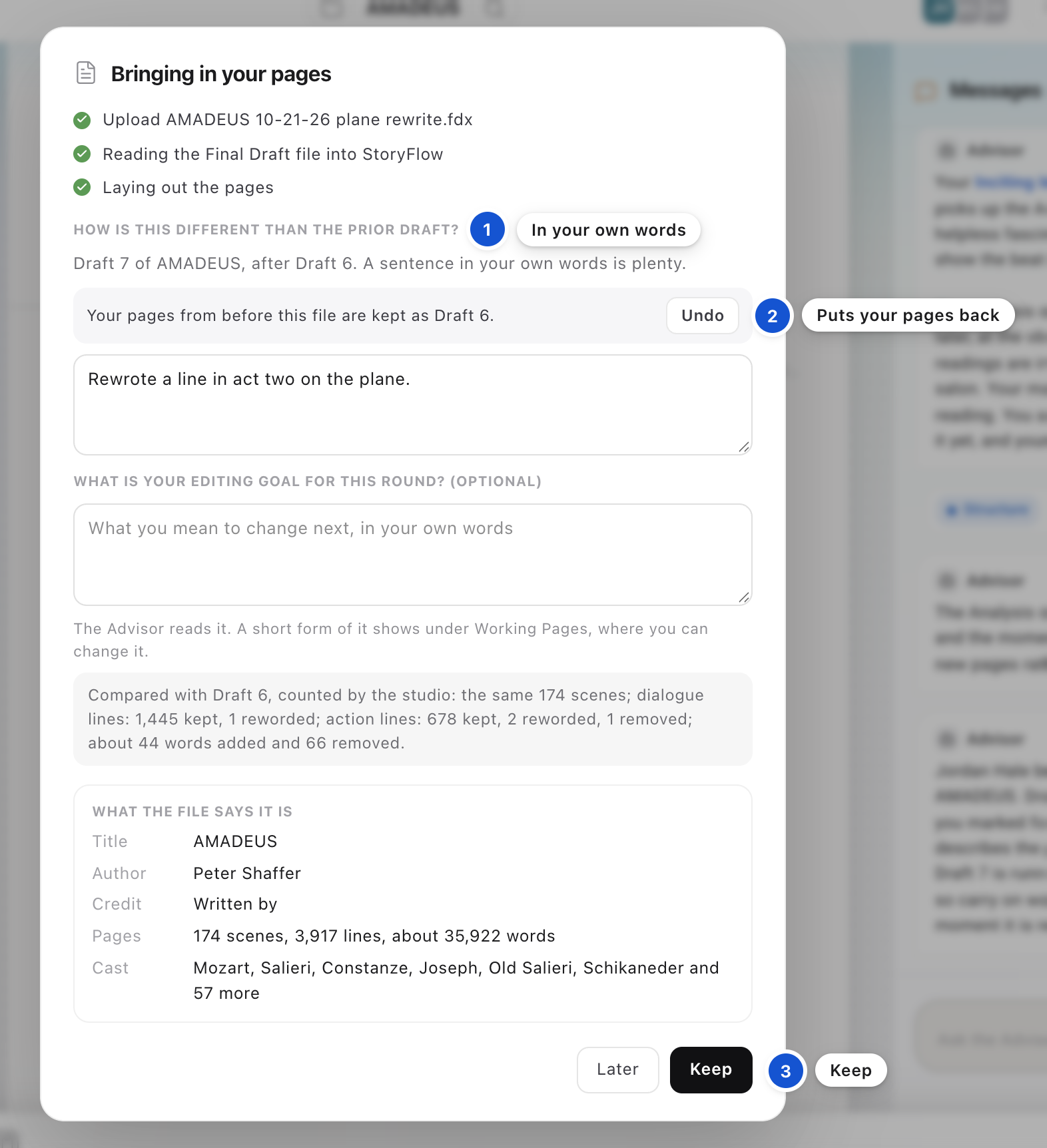
Say what changed
Next you're asked How is this different than the prior draft? A sentence in your own words is enough; press Keep, or Later to answer another time. Below it you can write your editing goal for this round, which the Advisor reads. If this was the wrong file, press Undo beside "Your pages from before this file are kept as Draft N", and your earlier pages come back as your Working Pages.
Step 5 of 6
Keep the fixes you made here
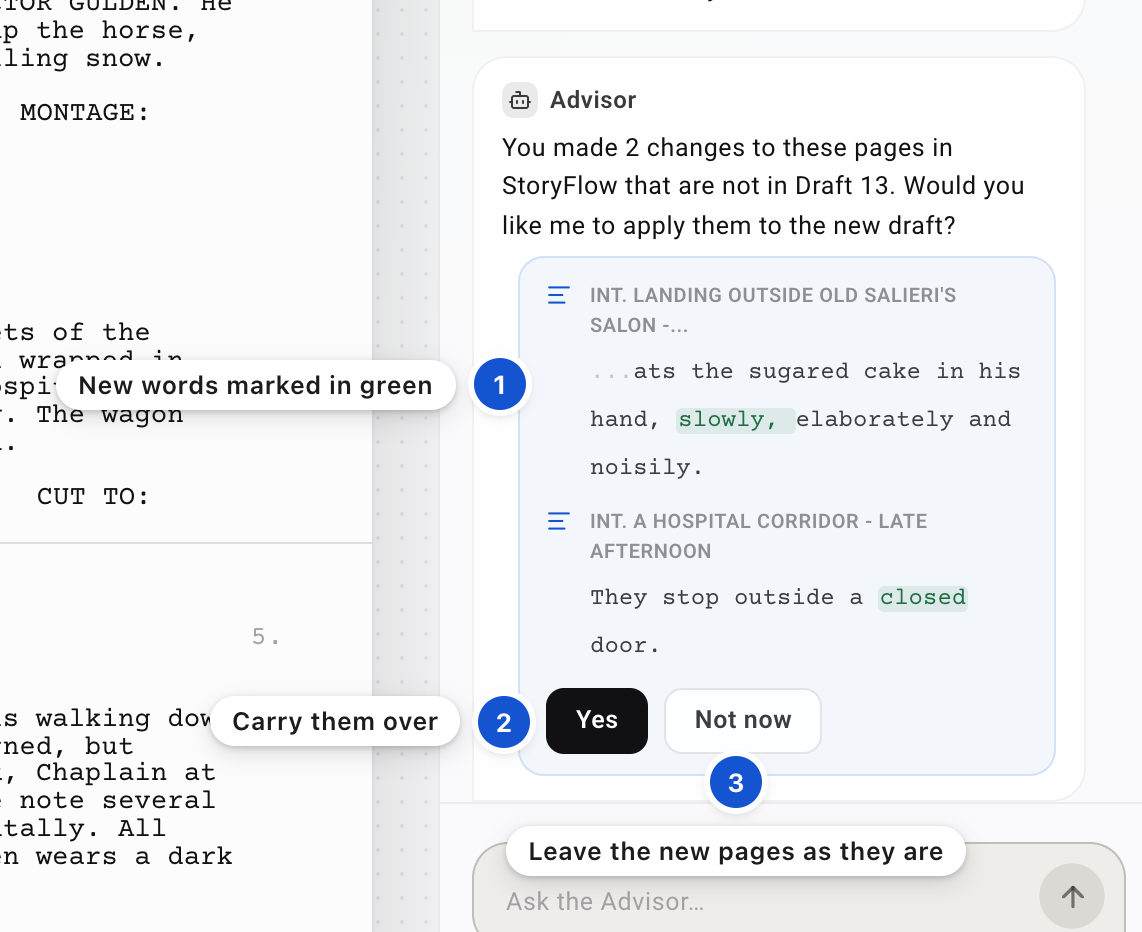
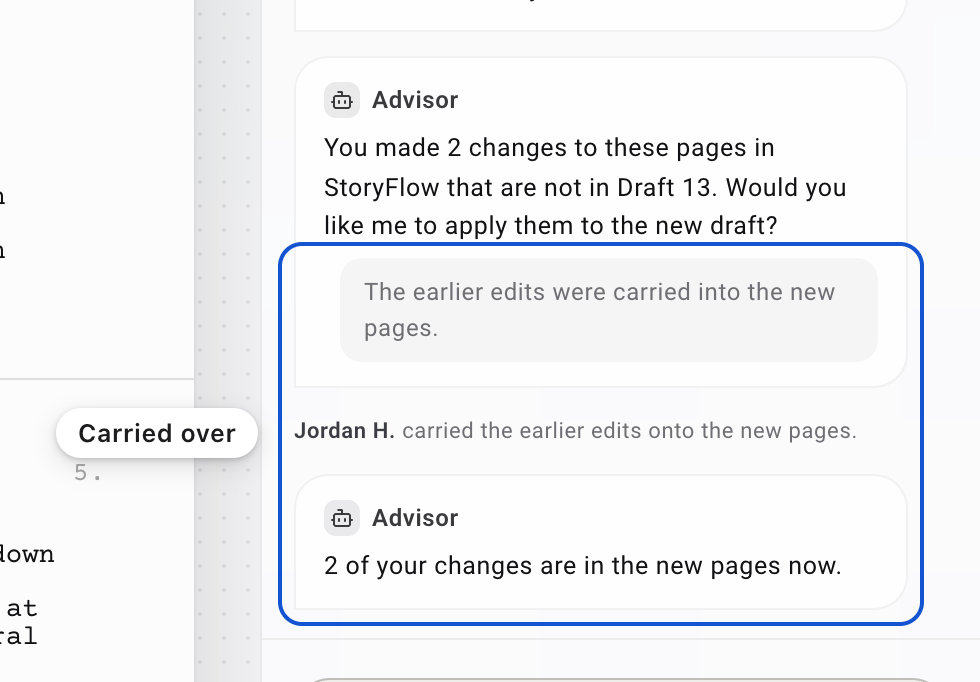
If you changed lines in StoryFlow while the file was out, the Advisor asks in Messages: You made 2 changes to these pages in StoryFlow that are not in the new Draft. Would you like me to apply them? Each change is listed under its scene, with the words you added marked and any you removed struck through. Press Yes to carry them onto the new pages, or Not now to leave the new pages as they came.
Step 6 of 6
Check your Anchor Beats
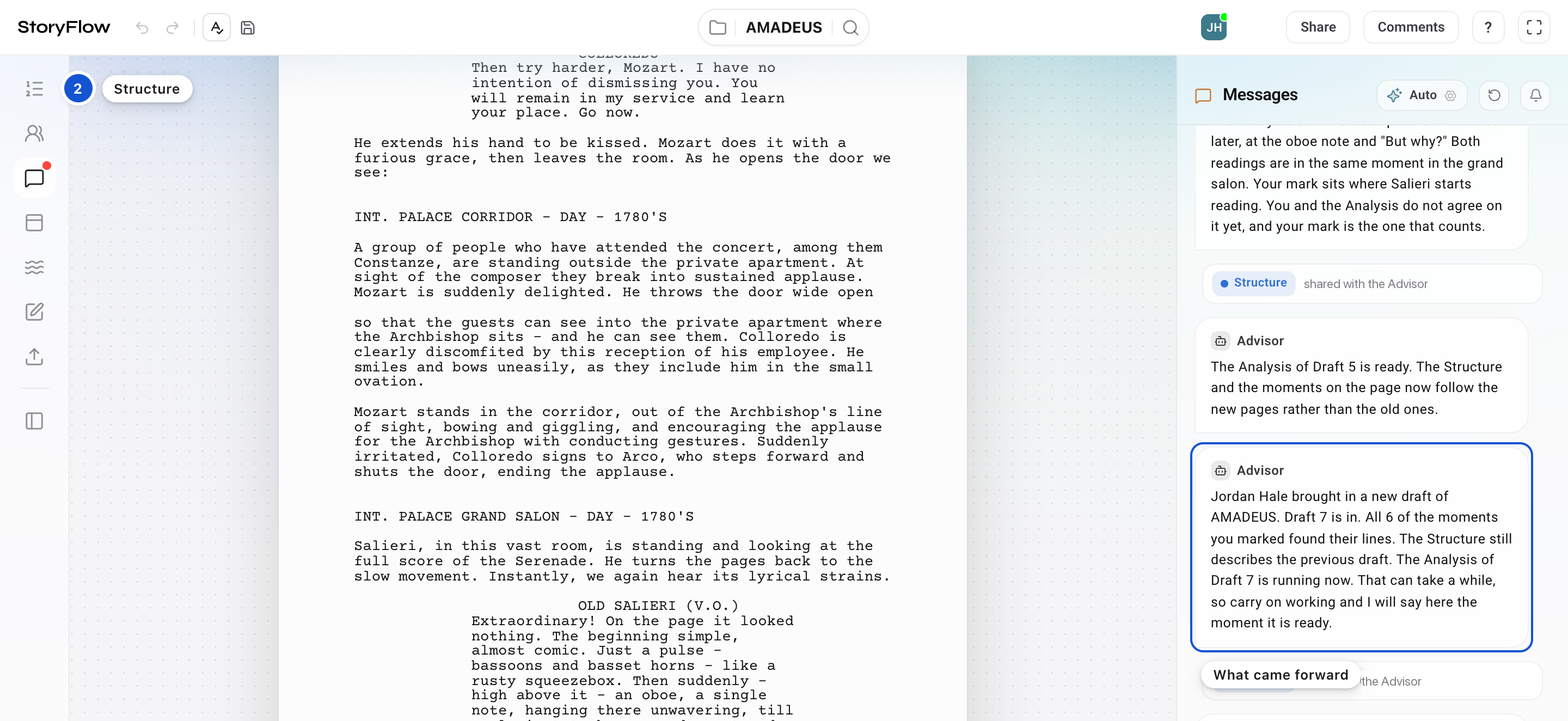
The beats you placed come forward to the new Draft wherever their lines survived. In Messages you're told how many of the moments you marked found their lines. Open the Structure, the first icon on the left, to see where each one stands now; if one is somewhere you didn't mean, place it again on the line you mean.
Why it works this way
The pages stay yours: they go back into your own Final Draft file, and you can go on writing there.
Good to know
- None of StoryFlow's own marks go out with the file: no beats (unless you tick Include StoryFlow's structure), no cards, no character analysis.
- A project begun in StoryFlow goes out as a new Final Draft file, with your title page, page numbers in the header and Final Draft's own screenplay settings. Its section is headed Export the script.
- Under Also as you can export Word, Fountain, Markdown or PDF. Only the format you brought the script in with makes the round trip into your own file; the others are a copy to read or send.
- Every earlier Draft stays in the project's folder, read only. For what the Anchor Beats are, read The ancient art: Storytelling.
 The big picture · An articleThe ancient art: Storytelling