Bounce ideas around without losing your voice
It’s two in the morning and you’ve got questions about whether your first act is working. You don’t want your pages written for you or revised by a machine. What you need is a smart advisor to help you think through the issues.
The Advisor is a sounding board, not a chatbot that tries to write and think for you. It’s trained on storytelling principles including Aristotle's Poetics and the Hero’s Journey. The Advisor reads your pages, analyzes your Structure, and asks you questions, just like a smart story analyst does. And you can always tell it what you meant. You stay in complete creative control.
 Meehna GoldsmithFounder & CEO, StoryFlow
Step 1 of 6
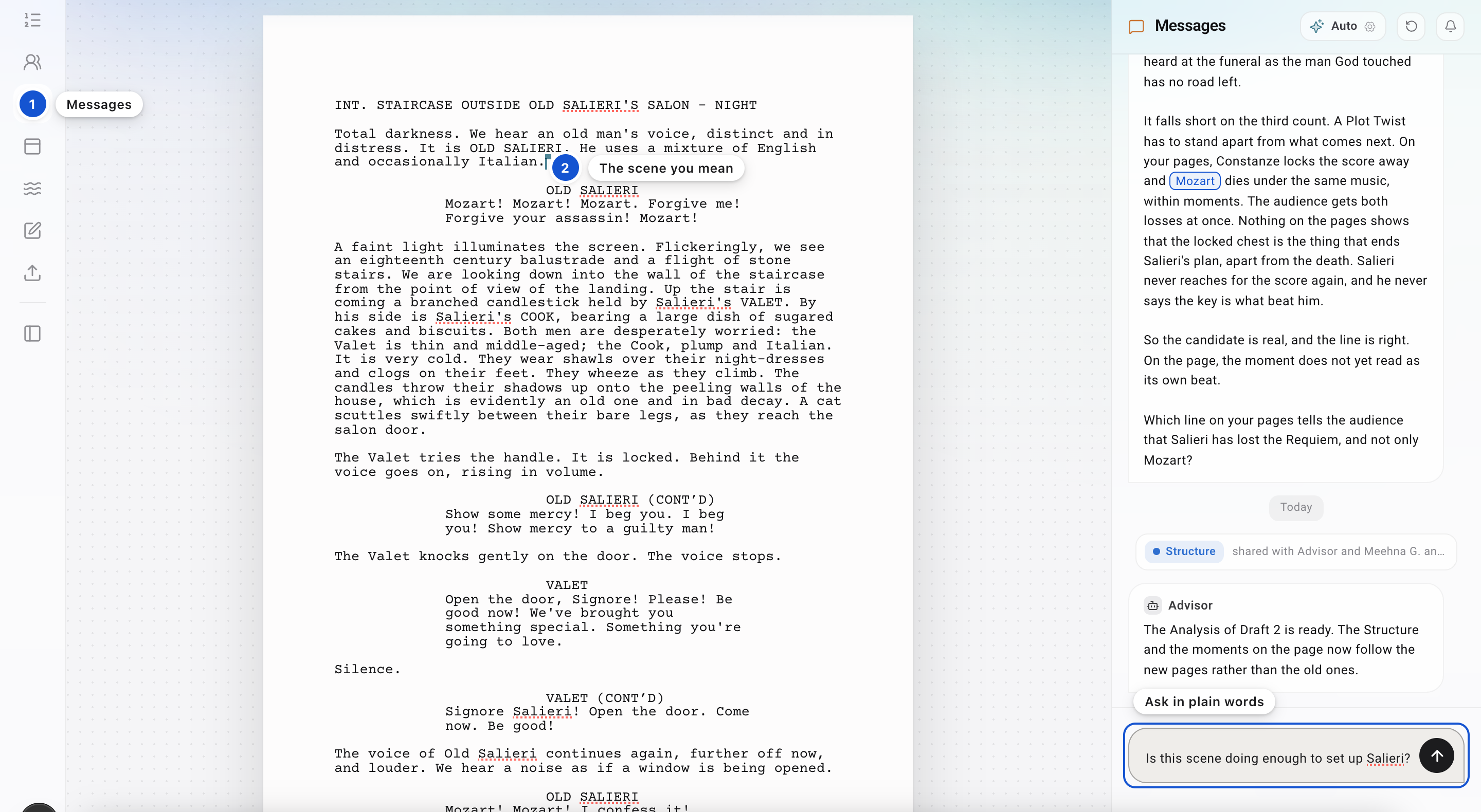
Open Messages and ask about this scene
Press the speech bubble, the third icon in the strip on the left, or press Cmd+. (Ctrl+. on Windows). Put your caret in a scene and ask about "this scene": the Advisor reads the scene your caret is in. Anything you write that isn't addressed to a person by name goes to the Advisor.
Step 2 of 6
Bring the exact lines
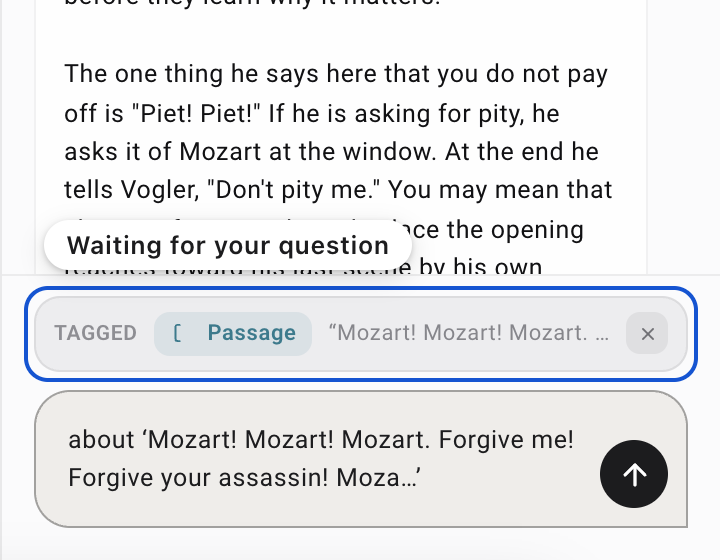
Select the words on the page and press the tag mark on the small bar that appears over them. The lines wait in Messages, above where you type, and the box starts your message for you with about '…' and the first of the lines; finish the question. Whoever reads the message, the Advisor or a person, sees exactly which lines you mean. On a phone, select the words and press the chip at the right end of the black row.

Step 3 of 6
Choose how it answers
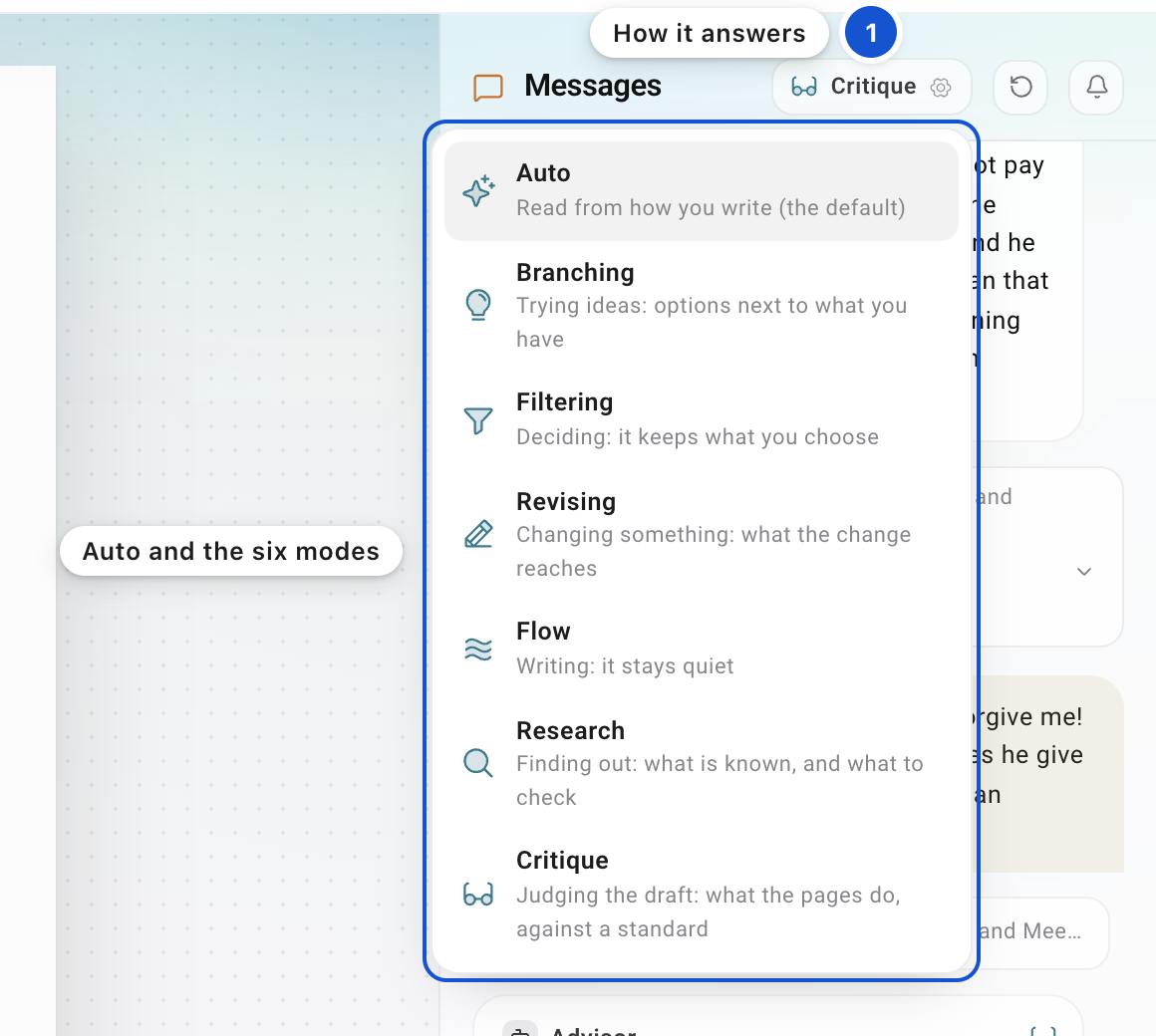
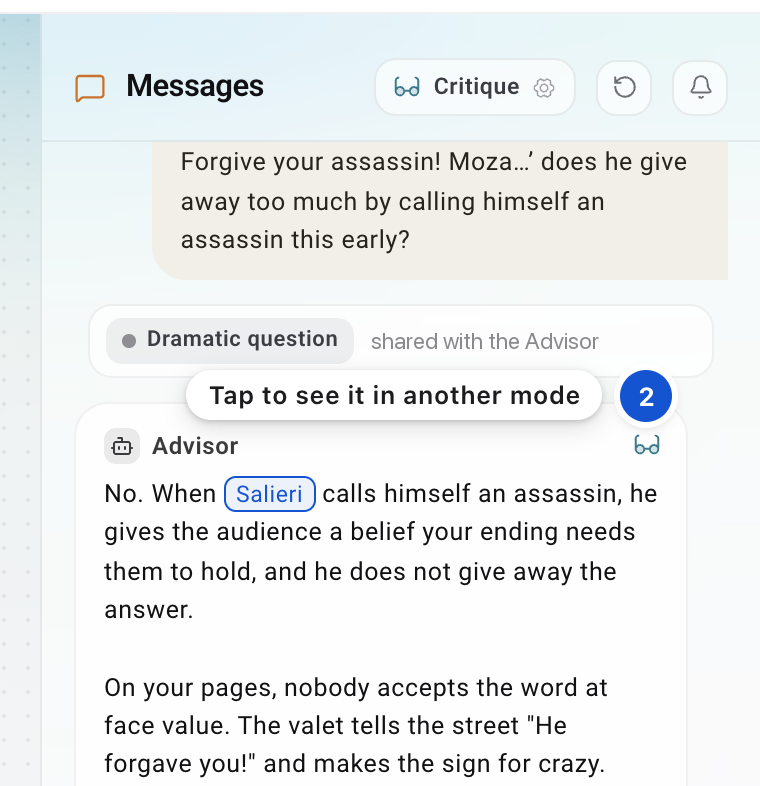
Use the button beside the Messages heading to set the mode; Auto is the default. In Auto, just write: each message is matched to one of the six modes below, the answer comes in that mode, and the button shows the mode it chose. Each answer is marked with its mode in its corner; tap the mark to see the same answer in another mode.
BranchingFor trying ideas. The Advisor won't pitch any. It points to what your pages already hold, then asks you one question.
FilteringFor deciding. The Advisor says back, briefly, what is now settled, and doesn't reopen it.
Step 4 of 6
Push back
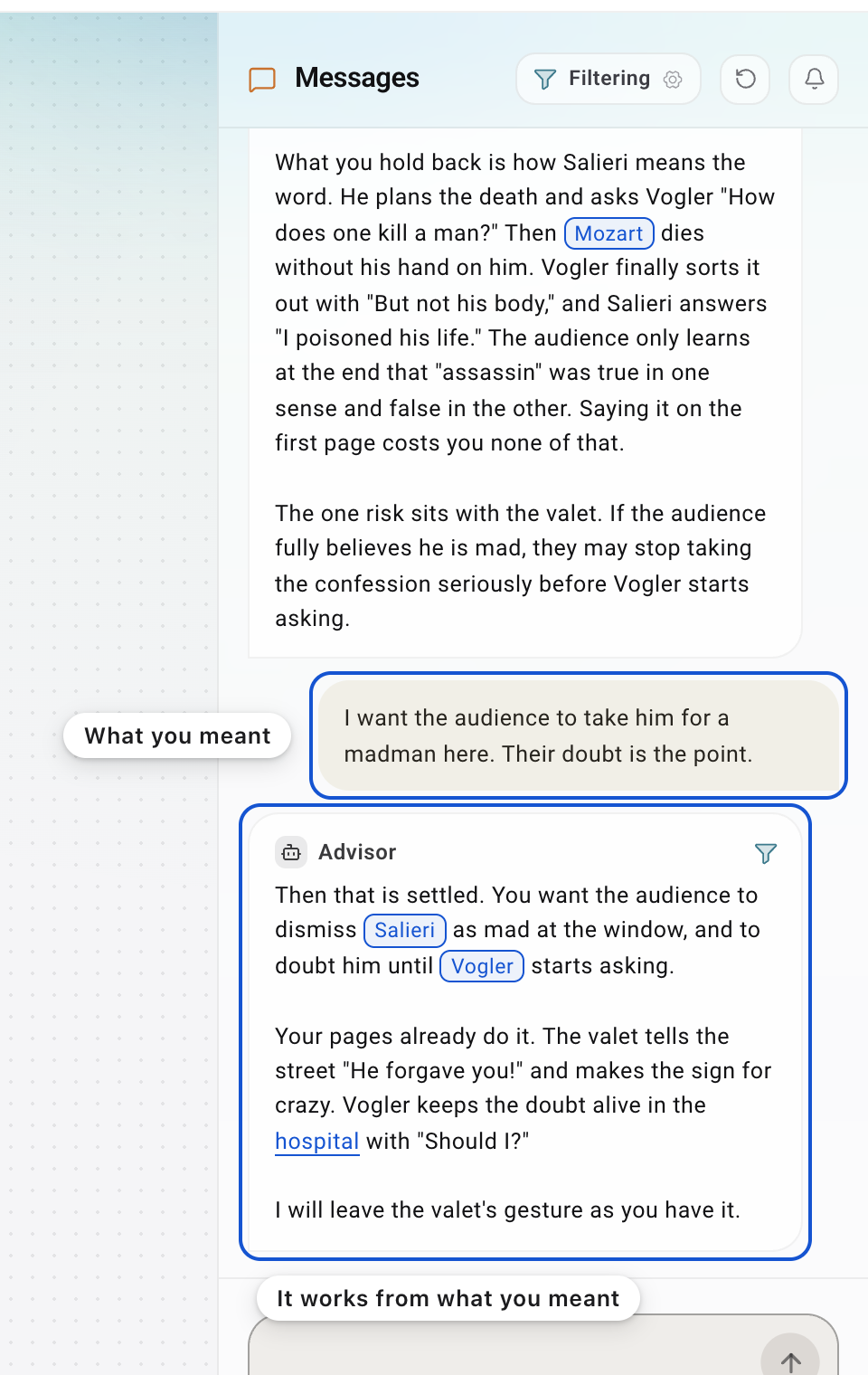
When a note misses, tell the Advisor what you were going for. A note is a suggestion, not an instruction, and nothing it says changes your pages. If you ask it to write a scene for you, it says no, in a sentence, and asks you one question about that moment instead.
Step 5 of 6
Drop an idea
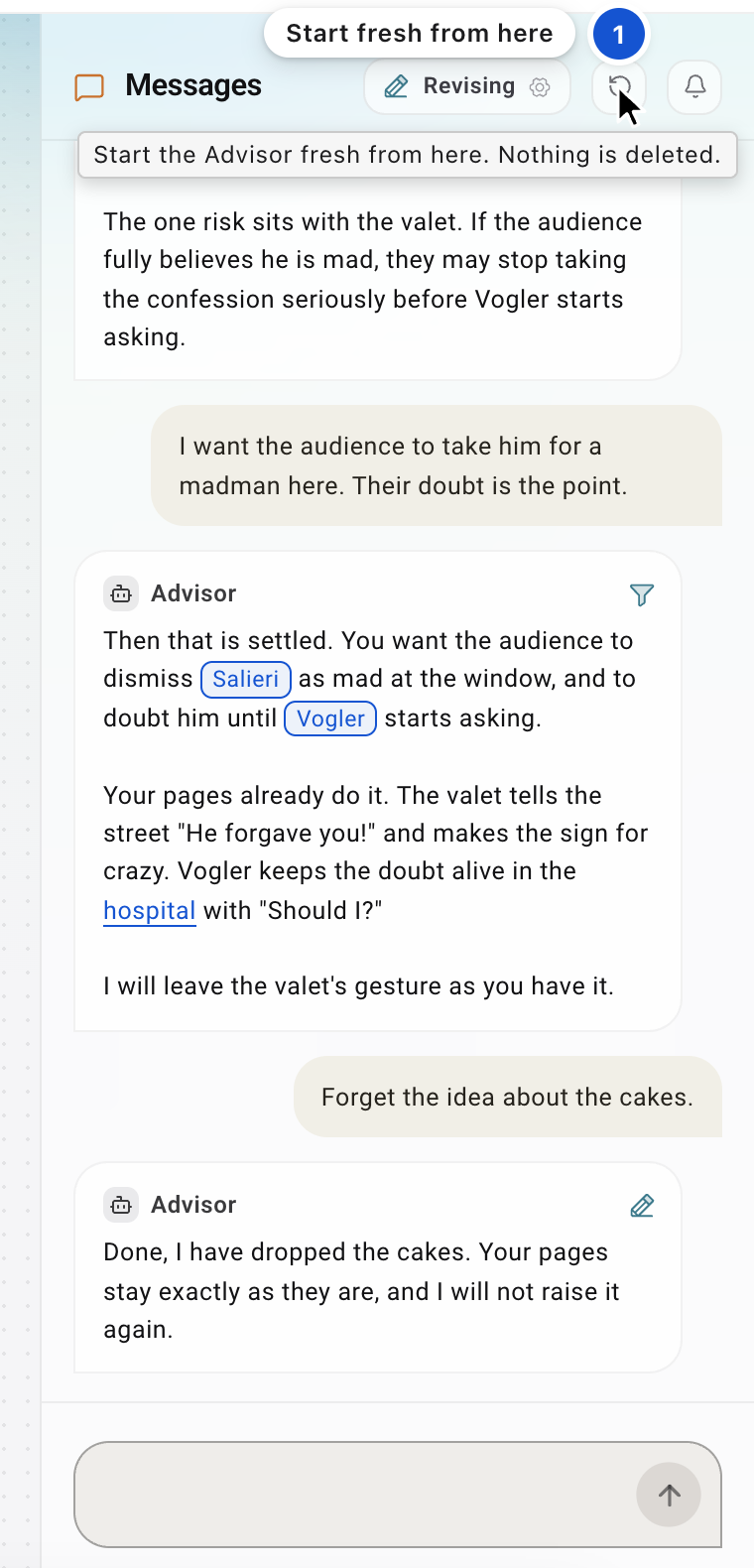
Say so, in a sentence: "forget the idea about the cakes." The Advisor keeps what you said and stops raising it. If a whole conversation has gone somewhere you don't want, press the circular arrow in the Messages header, Start the Advisor fresh from here. Nothing above the line is deleted; the Advisor stops reading it.
Step 6 of 6
Keep what you decided
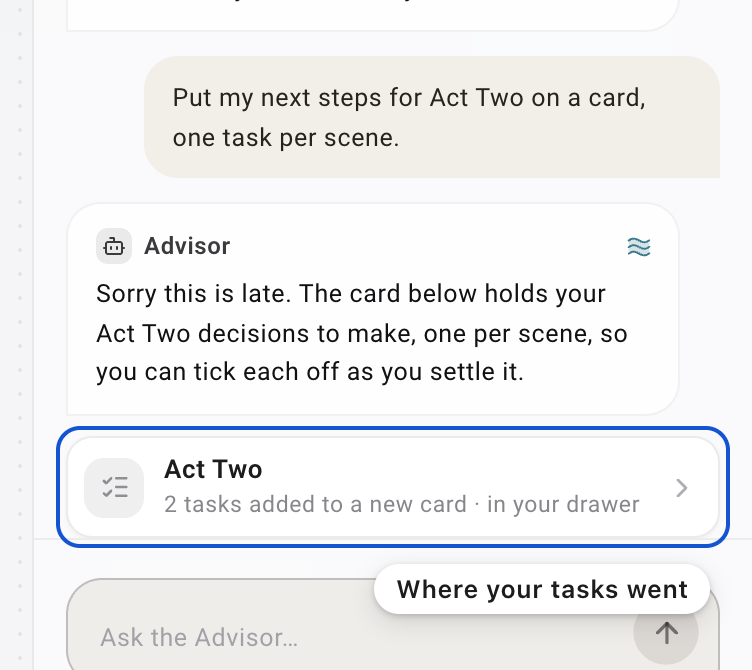
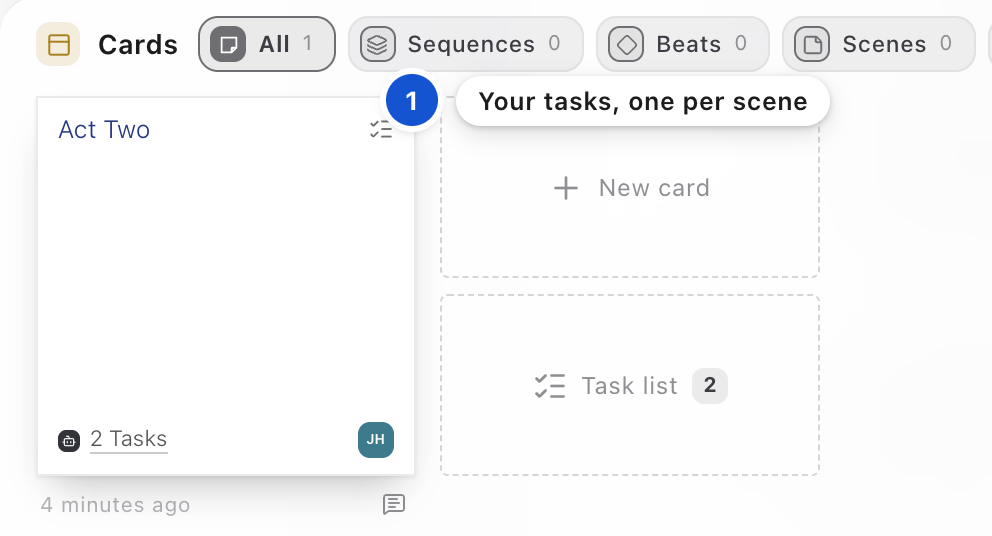
Ask for your next steps in so many words: "Put my next steps for Act Two on a card, one task per scene." The Advisor puts the tasks on a card in your drawer, each tied to a scene, and says under its message which card they are on. Press Cmd+J to open the drawer, and open the card to see its tasks. (Asked only "what should I do next?", the Advisor may answer with ideas from your pages instead.)
Why it works this way
The Advisor asks. You write.
When generative AI went viral in 2022, I panicked. … What if it could act as a sounding board that helped you become a better writer without writing for you? That question became StoryFlow.
Meehna GoldsmithGood to know
- Your pages are never used to train anything.
- To talk to a person instead, type @ and pick them. The Advisor stays out of anything addressed to someone by name.
- In Research, the sources are folded into a box under the answer, and your question is kept on a card titled Research.
- When the Advisor quotes your pages, the line is really on your pages.
In this guide, on the feature list
An AI Advisor that helps a writer and doesn't write for themAsk about this scene and the Advisor knows which oneSelect words and ask the Advisor about themChoose how the Advisor helpsTell the Advisor to forget an ideaResearch a question with sourcesWhen the Advisor quotes your pages, the line is really there
 The big picture · An articleThe ancient art: Storytelling