Start writing your first pages
The story is in your head, and the page in front of you is blank. You want to focus on telling the story, not learning new software. Scene headings, names and dialogue all fall into the proper place the way they do in screenwriting software like Final Draft.
In StoryFlow, the page is already formatted like a screenplay. If you know Final Draft, its keys work here too. The names you’ve used finish themselves, and your pages save a moment after you stop typing. Now let’s get to the fun part and write!
 Meehna GoldsmithFounder & CEO, StoryFlow
Step 1 of 6
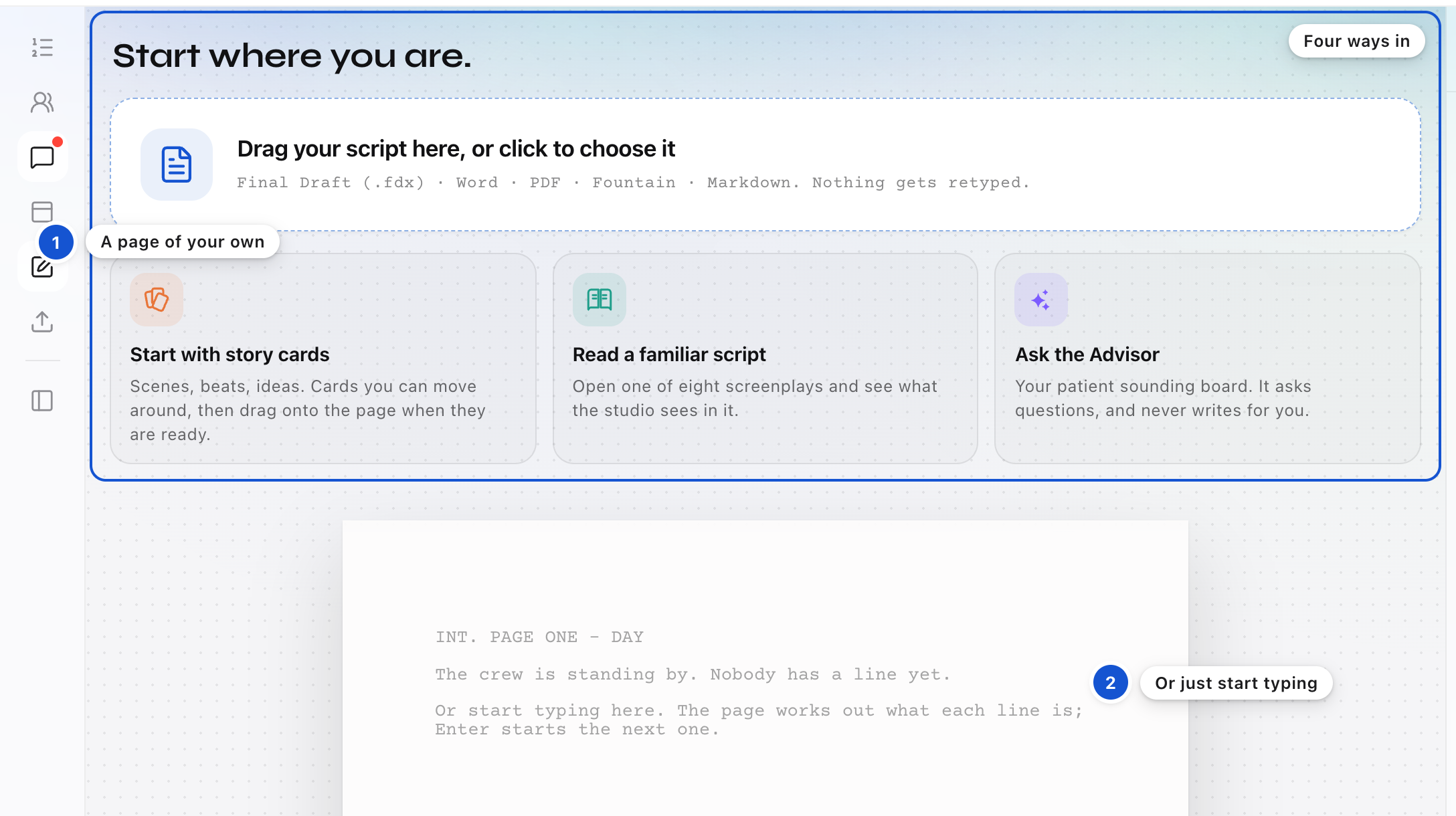
Open a page of your own
Press Create project, the square with a pen in the strip on the left. Your own blank page opens, headed Start where you are. It offers four ways in: drag a script onto it or click to choose one, Start with story cards, Read a familiar script, or Ask the Advisor. To write from nothing, click the page below them and start typing. The four ways go away once you type your first word.
Step 2 of 6
Write a scene heading
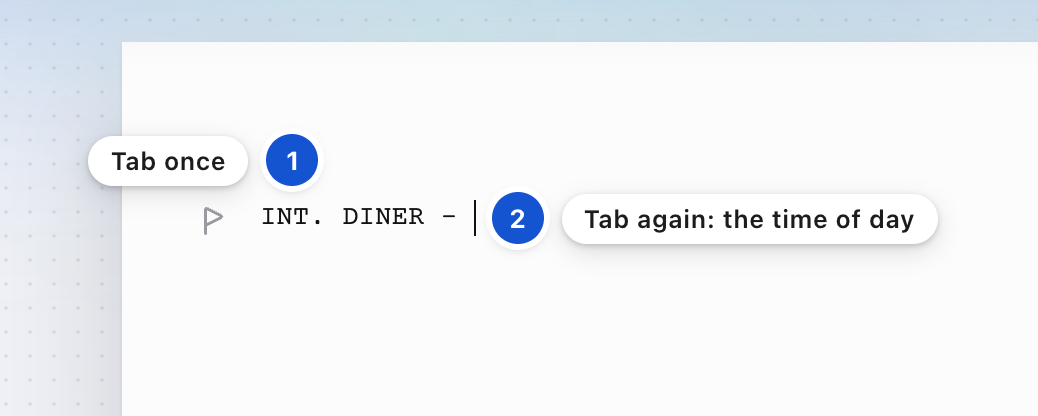
Every scene starts with a heading that says where and when it happens. Press Cmd+Option+1 (Ctrl+Shift+1 on Windows) to make the line a scene heading. Press Tab: INT. is written for you, and you're in the location. Type the place and press Tab again. The dash is written, and you're in the time of day. For an exterior, type EXT. yourself, and Tab moves you on to the place.
Step 3 of 6
Move from line to line
Each key takes you to the element a script usually needs next.
EnterThe next element: action after a scene heading, dialogue after a name, and action after dialogue.
TabOn an empty action line, a character name. On an empty dialogue line, a parenthetical, with its parentheses.
Cmd+Option+1 to 6Scene heading, action, character, parenthetical, dialogue and transition, in Final Draft's order. On Windows, Ctrl+Shift+1 to 6.
The one difference you'll feel: Enter after dialogue goes to action, not back to a name. Press Tab on that empty line to start the next speaker. Typing ( in the middle of a speech also starts a parenthetical, on its own line, and the speech carries on below it.
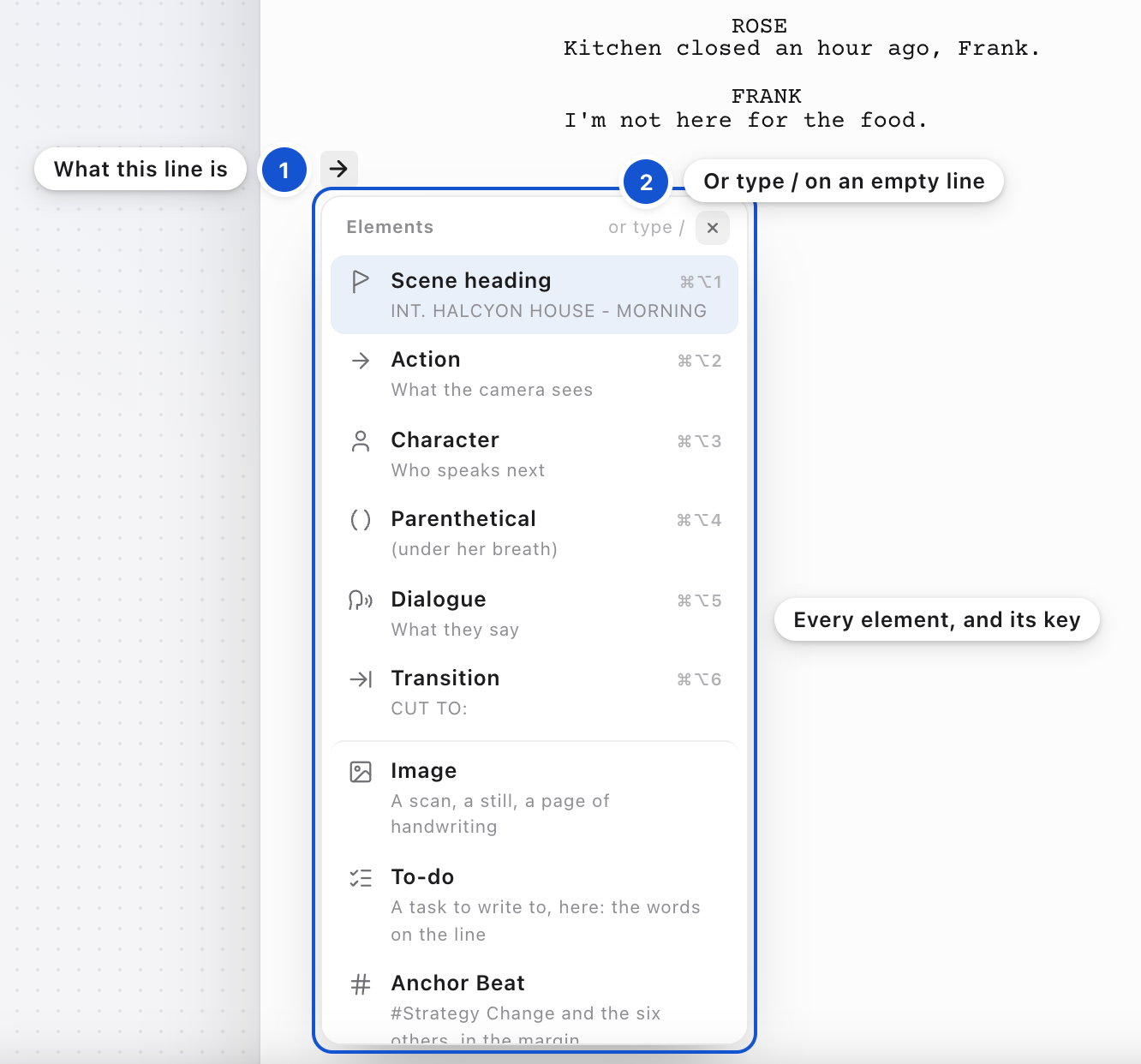
To see every element at once, press the mark in the left margin of the line you're on. Its shape shows what kind of line it is. On an empty line, typing / opens the same list.
Step 4 of 6
Let names finish themselves
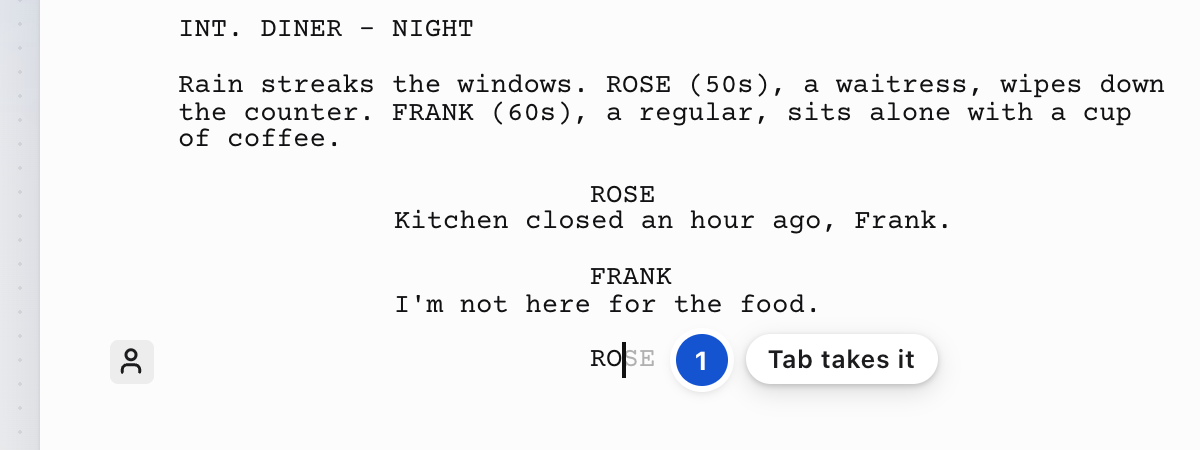
On a character line, start typing a name your pages already use. The rest of it appears in gray. Press Tab to take it, or keep typing and the gray goes away. Only names from your own pages are offered, the one who speaks most first. On an empty character line, the name most likely to speak next is already there in gray, and Tab takes it.
Step 5 of 6
Put weight on a word
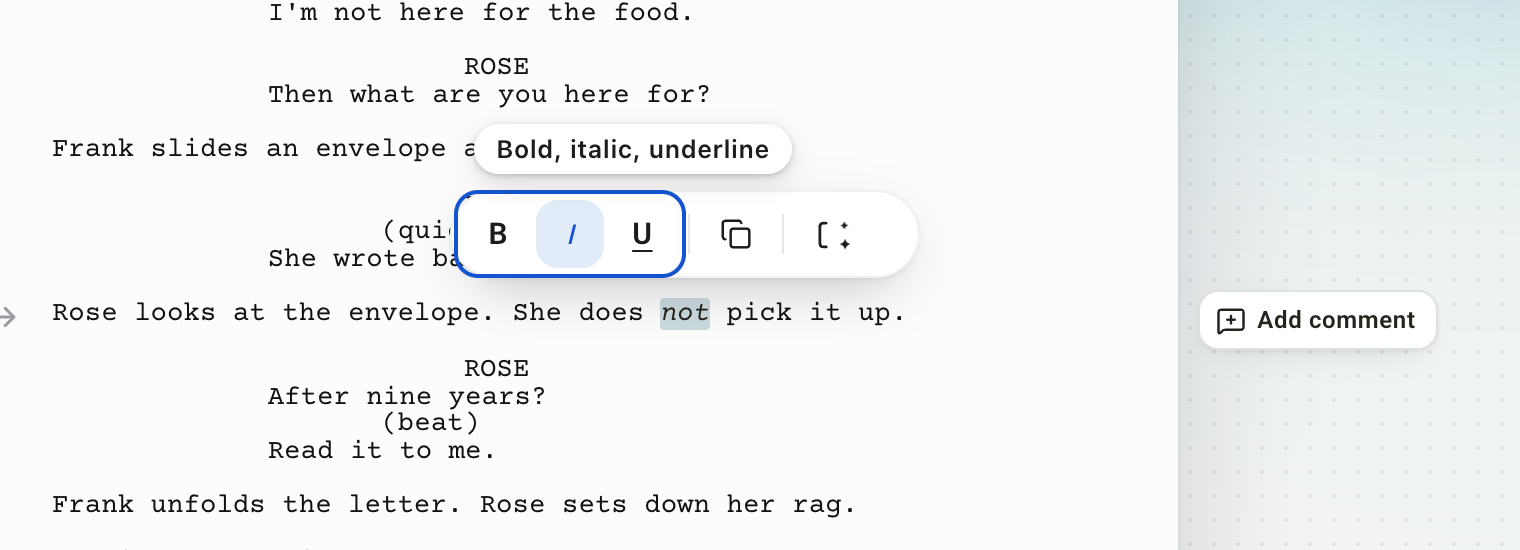
Select the words. A small bar appears over them. Its first three buttons, B, I and U, are bold, italic and underline. Cmd+B, Cmd+I and Cmd+U do the same. There is no font or size to choose. Every page is Courier at twelve point, so a page still runs about a minute of screen time.
Step 6 of 6
Keep your pages safe
Your pages save themselves a moment after you stop typing, so there's nothing to press while you write. If a save ever has to wait, a notice at the foot of the page says Not saved yet. StoryFlow will keep trying. It tries again on its own, and again when you come back to the tab.
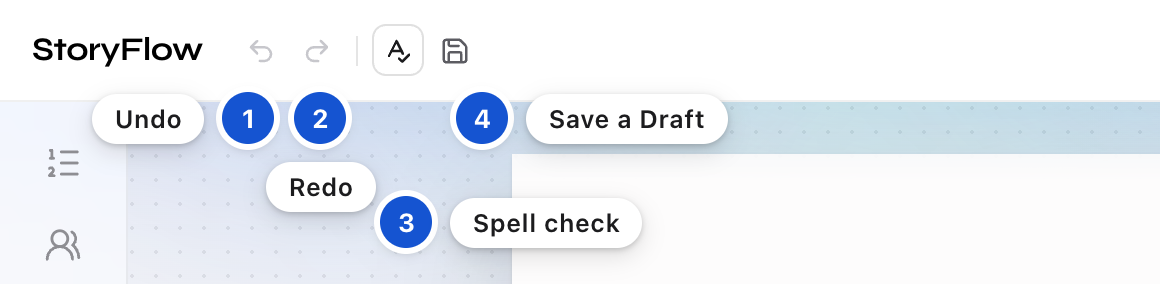
When the pages reach a point worth keeping, press the Save icon beside Undo and Redo, give the Draft a label if you like, and press Save. Your pages are kept as Draft 1, a dated copy nobody can change, and StoryFlow starts reading them for the Structure. You go on writing in your Working Pages, and from now on the Structure shows when they were last saved.
Changed your mind about a line? Undo and Redo are the two arrows at the top left, beside the StoryFlow name. Cmd+Z and Cmd+Shift+Z do the same. An arrow is gray when there is nothing to undo or redo. The button beside them turns the browser's spell check on or off.
Good to know
- Your pages are never used to train anything.
- Every key is on the Shortcuts tab of Help. Press the ? in the top bar, or Cmd+/.
- Page numbers stand at the right margin where each page begins. The first page carries none, as a script's first page doesn't.
- Ready for a second script? Press Create project again. Once the page you're on has words, it opens a fresh blank project for you, and a blank one you haven't written in yet is reused, so empty projects never pile up.
In this guide, on the feature list
A clear way to start a new projectWrite the screenplay right on the pageEnter and Tab move through the elements the way Final Draft doesParentheticals that behave like a scriptCharacter names that finish themselvesBold, italic and underline for emphasisPages that look like a Final Draft pageUndo and Redo buttons you can seePage numbers on the pageA switch to turn spell check on and offSave a Draft whenever you chooseA Help sheet for when you get stuck
 The big picture · An articleThe ancient art: Storytelling