Bring in the script you already have
You have a draft you've lived with for months, maybe years, and you want a fresh read on it. You're not going to retype a hundred pages to get one. You also want to be sure the right file came in and nothing got lost on the way.
Drop the file onto the page. Your pages come in as you wrote them, with your title page and emphasis, and their Analysis begins without your asking for it.
 DW FerrellCo-founder & CTO, StoryFlow
Step 1 of 7
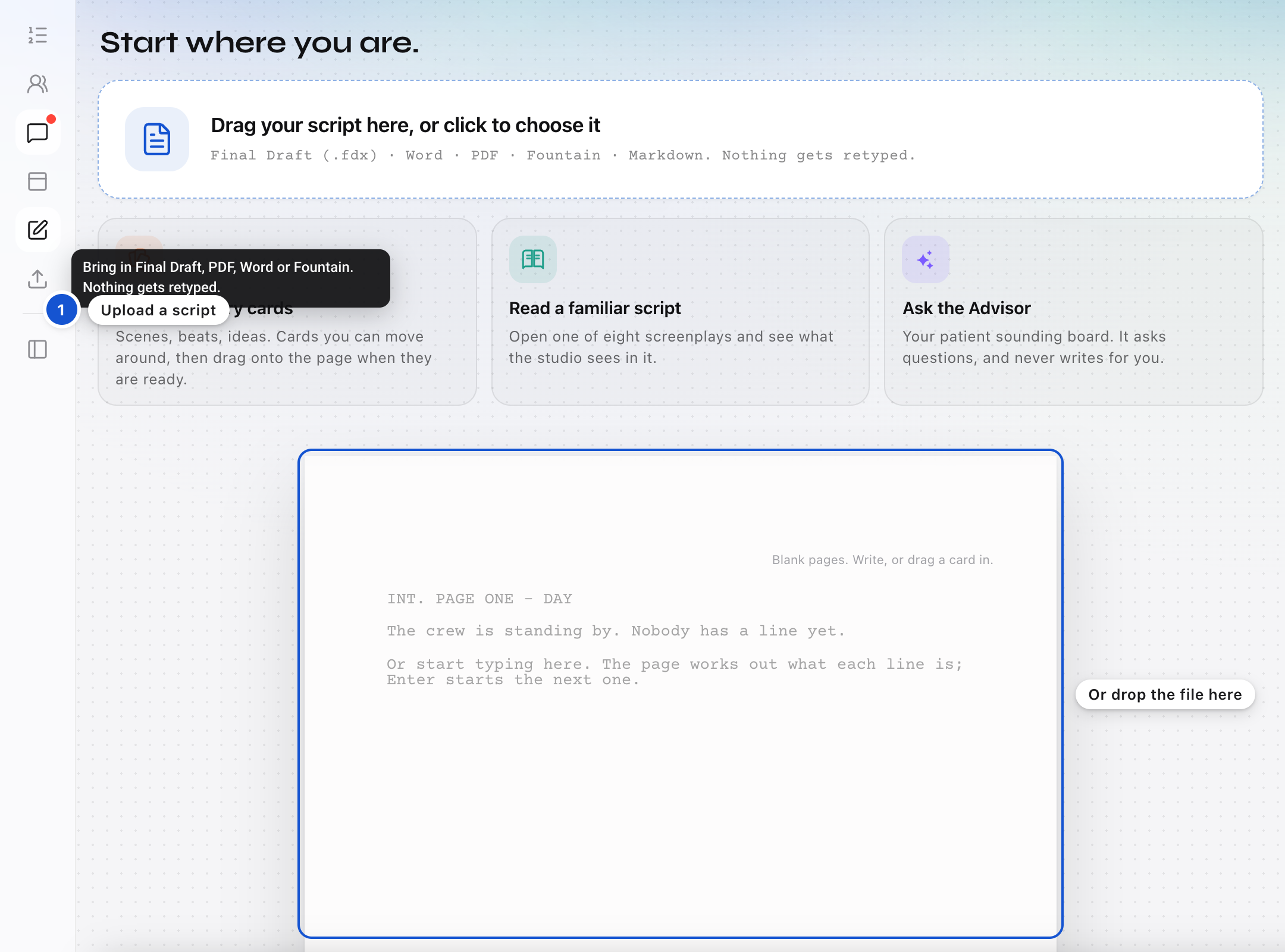
Drop the file on the page
Drag your script onto the page, or click the upload icon in the strip on the left. On your very first page there is also a box at the top: Drag your script here, or click to choose it. Final Draft (.fdx), PDF, Word (.docx) and Fountain files open right away, and so do Markdown and plain text. An older Word file (.doc), an .rtf, or a Celtx or Highland file is sent to the StoryFlow team instead, and you get an email when it is ready to open.
Step 2 of 7
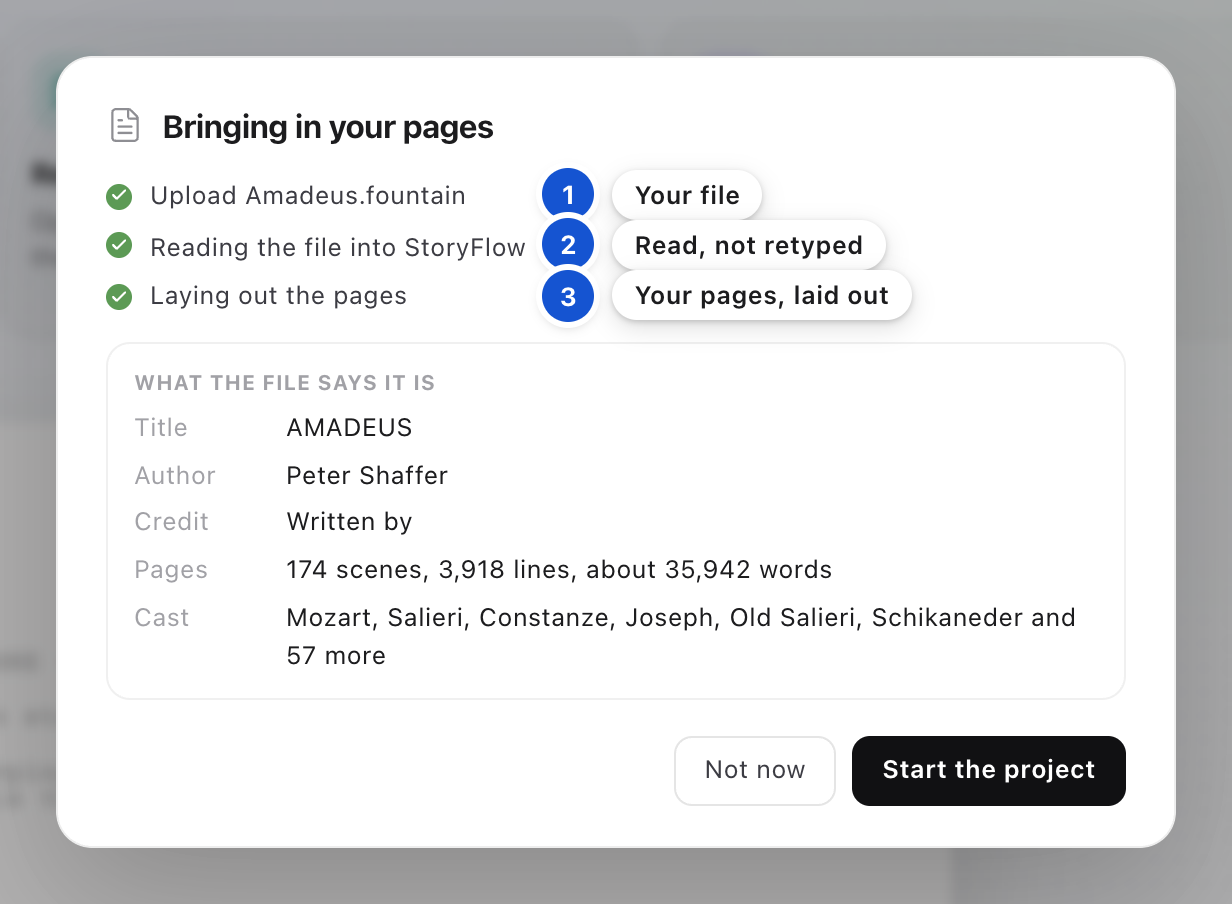
Watch it come in
A window titled Bringing in your pages opens, with three steps, each ticked as it finishes: Upload, with your file's name; reading the file into StoryFlow (for a Final Draft file it says so, and for a PDF it reads the pages out of it); and Laying out the pages. Nothing is retyped, and your bold, italics and underlining come across.
Step 3 of 7
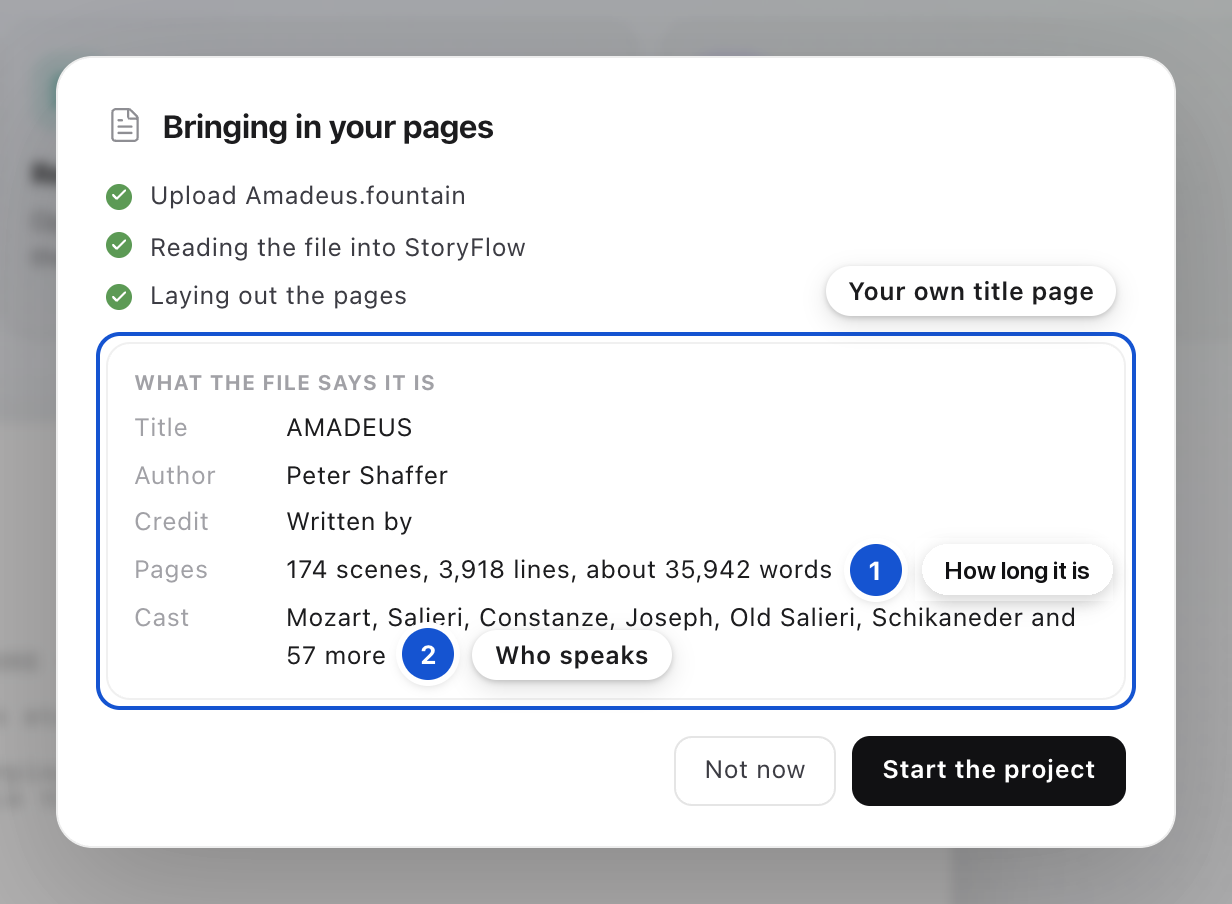
Check it is the right file
Under What the file says it is, you see the Title, Author and Credit from your own title page, how long the script is in scenes, lines and words, and the Cast. If those match the script you meant, the right file came in. If they don't, press Not now and drop the right one.
Step 4 of 7
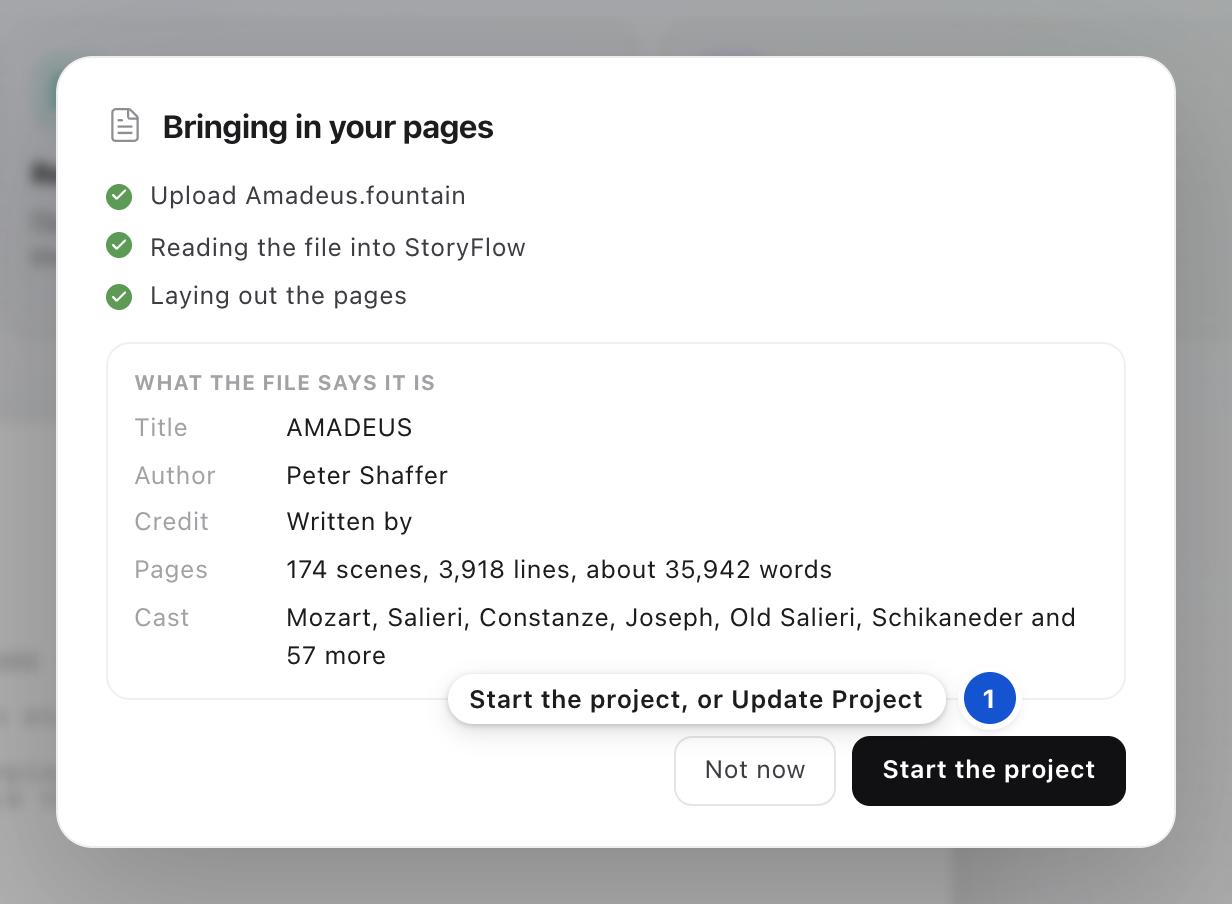
Choose where the pages go
If no project is open, press Start the project. A notice says your project is ready to open; press Open. If you have a project open, you're asked where these pages go first: pick A new project for a different script, or the next Draft of the project you have open when the file is a new draft of it. The draft before is kept and stays readable. Then press Start the project, or Update Project for a new Draft.
Step 5 of 7
Say who wrote it
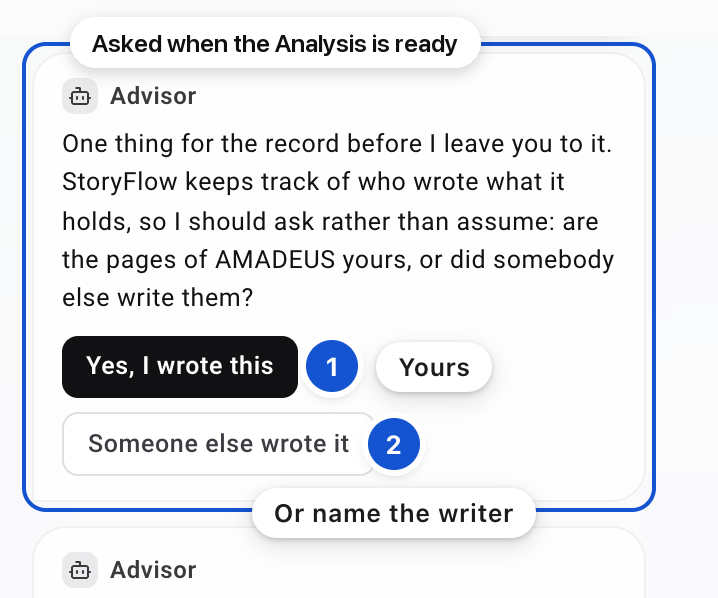
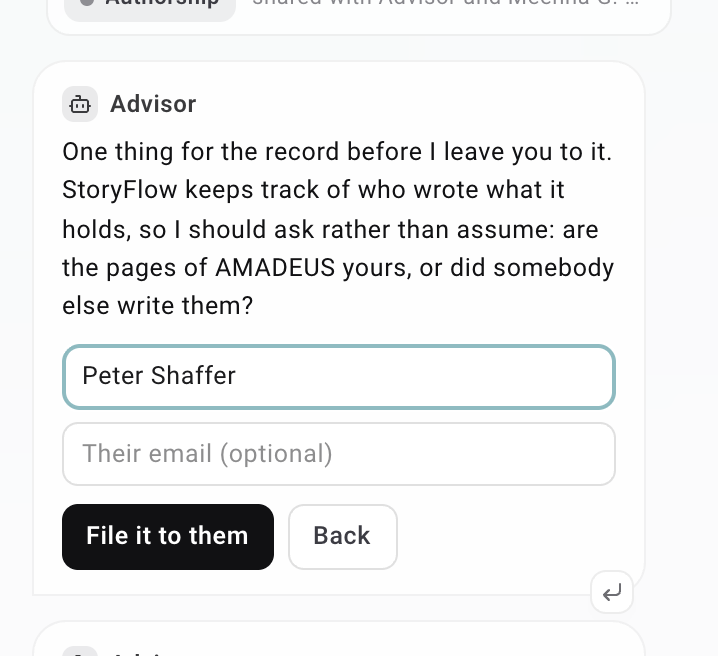
When the Analysis is ready, the Advisor asks in Messages whether the pages are yours. Press Yes, I wrote this. If someone else wrote them, press Someone else wrote it, type their name (and their email, if you like), and press File it to them. You're then offered to invite them to the project; Not now is fine. Your answer is kept on the record, and it is the start of Proof of Authorship: who wrote these pages.
Step 6 of 7
Let the Analysis read it
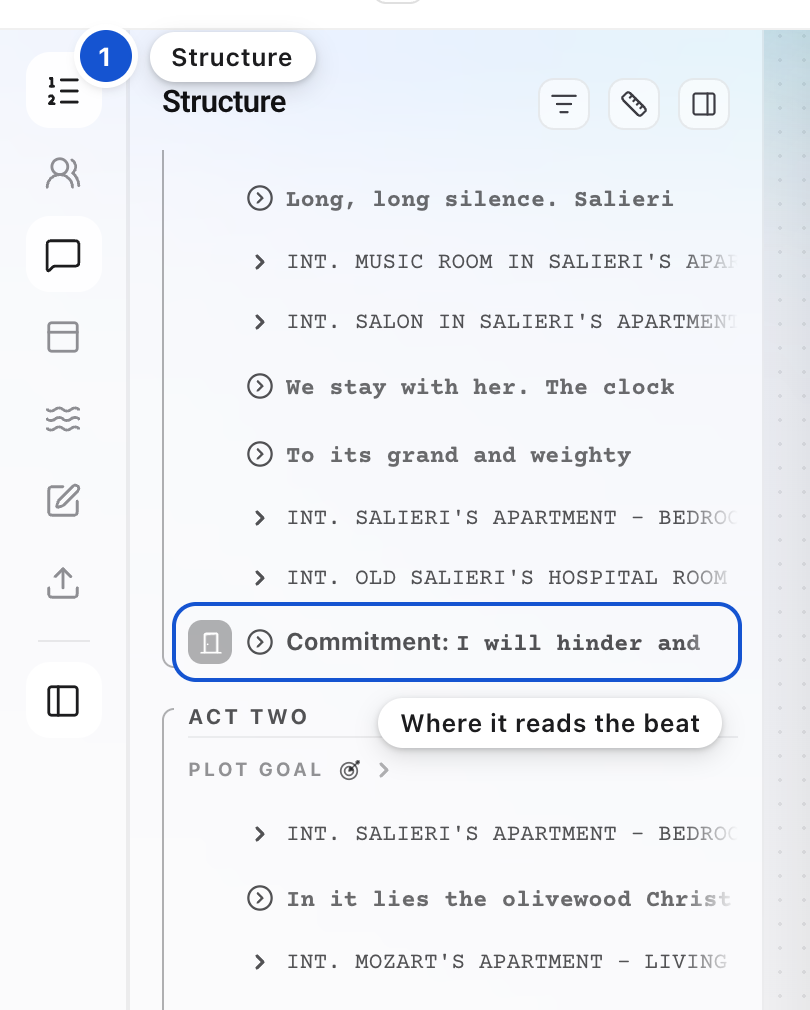
The Analysis begins once the pages are in, and you can keep working in the meantime. For a feature-length script it takes about a quarter of an hour. When it is ready, a line in Messages says so, and if you are in another project then, a notice in the studio says your Structure Analysis is ready, with Open. Open the Structure, the first icon on the left, to see where the seven Anchor Beats land on your pages.
Step 7 of 7
If it was the wrong file
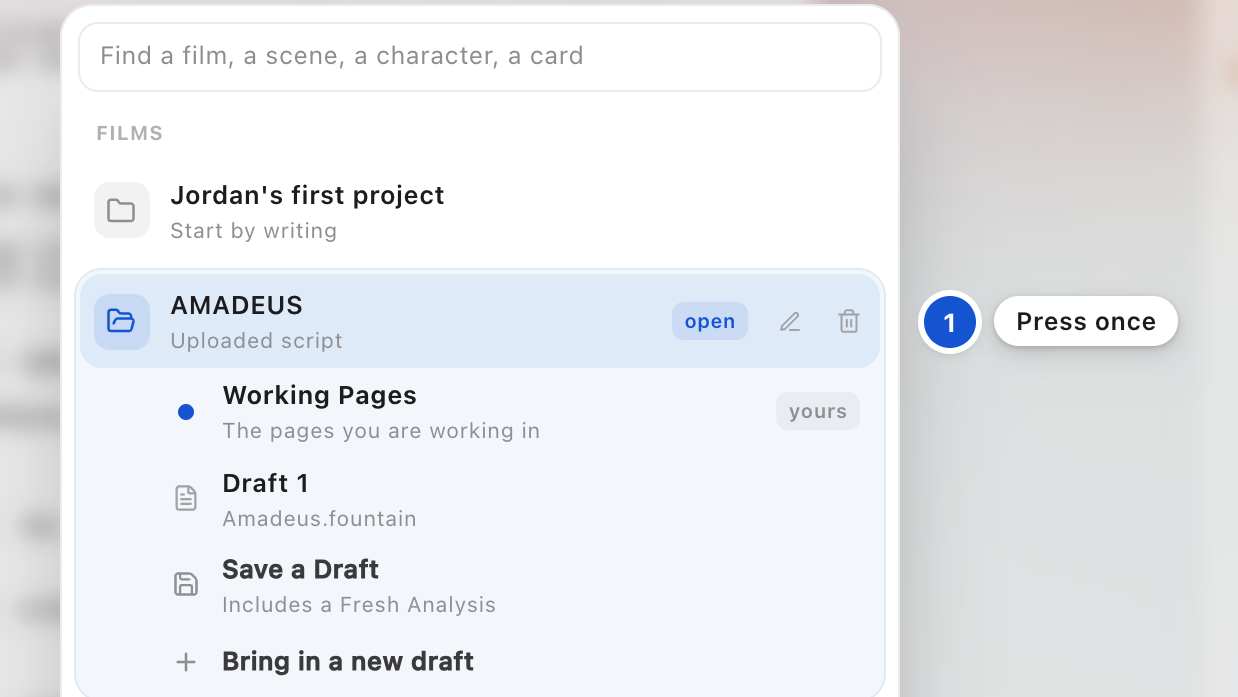
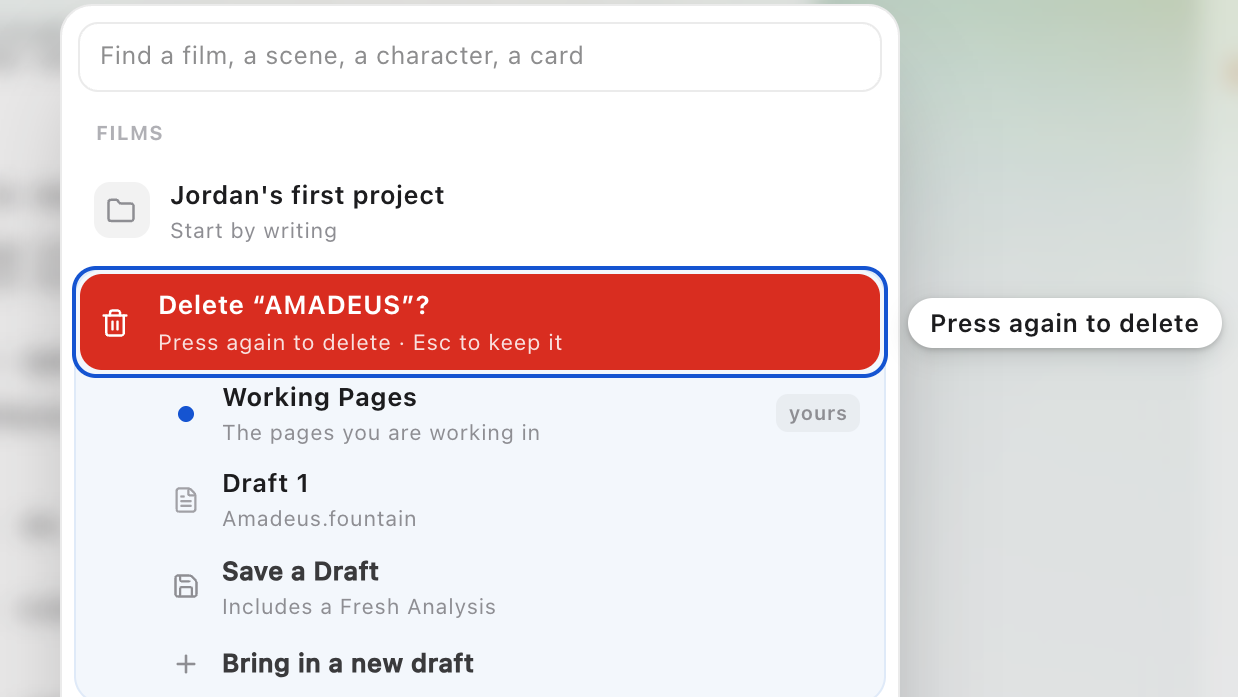
If the file started a new project, delete that project on a computer. Press Cmd+K for the project list, point at the project, press its bin, then press the red row again. Escape keeps it. If the file came in as a new Draft, press Undo in the same window, beside the line that says your pages from before this file are kept, and your earlier pages come back as your Working Pages.
Good to know
- Your pages are never used to train anything.
- Every page is set in Courier at twelve point, whatever font the file used, so a page still runs about a minute of screen time.
- A deleted project is kept rather than erased, so Meehna or DW can bring it back if you ask.
- For the big picture of the seven Anchor Beats, read The ancient art: Storytelling. To send your pages back to Final Draft, see "Keep writing in Final Draft, and keep StoryFlow in step".
 The big picture · An articleThe ancient art: Storytelling