Find the moments your story turns on
You know the second act isn’t working, but not why or where. A beat sheet can’t diagnose the problem. Understanding your structure can. StoryFlow analyzes every turn on your own pages and you decide if you agree.
Open the Structure. It shows your acts, every scene, and the line where each of the seven Anchor Beats lands. Where you and the Analysis agree, the mark is in the beat’s color. Ultimately, you decide where they go.
For the big picture of what the seven are and why they matter, read The ancient art: Storytelling.
 Meehna GoldsmithFounder & CEO, StoryFlow
Step 1 of 7
Open the Structure
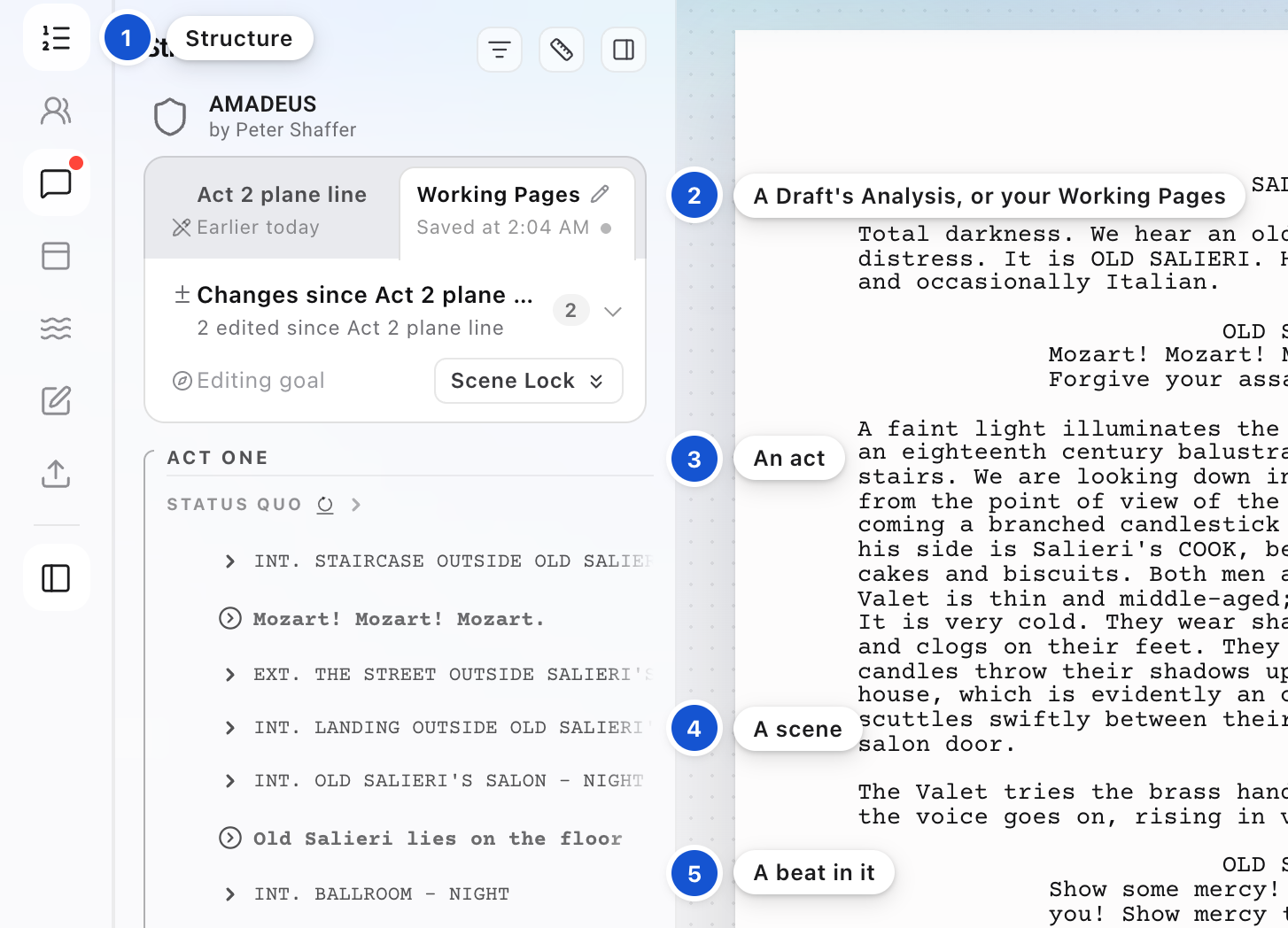
Press the first icon in the strip on the left. You see your acts, and every scene as a row. Inside each scene are its beats, the moments where something turns, and the seven Anchor Beats are named among them. The two tabs at the head of the panel switch between a saved Draft's Analysis and your Working Pages.
Step 2 of 7
Open a beat and read it
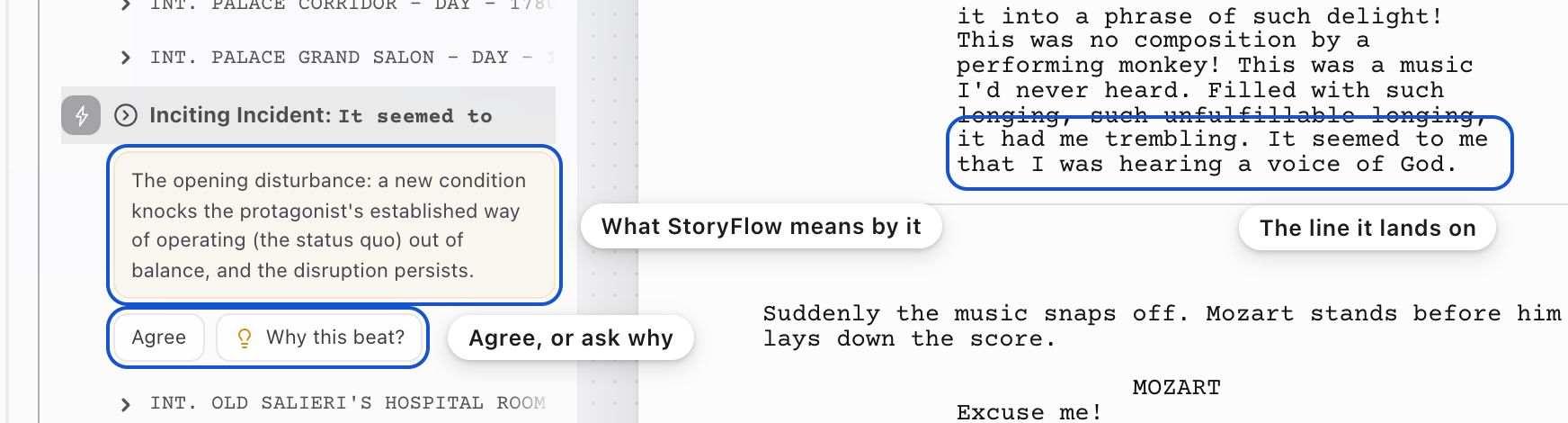
Press an Anchor Beat's row, the Inciting Incident for example. The page goes to that moment, and the row opens with StoryFlow's definition of the beat. Under it are the buttons for what you can do with the beat, and Why this beat? Press that and Messages opens, where the Advisor explains in plain words why the Analysis reads the beat on that line.
Step 3 of 7
Read the chips in the margin
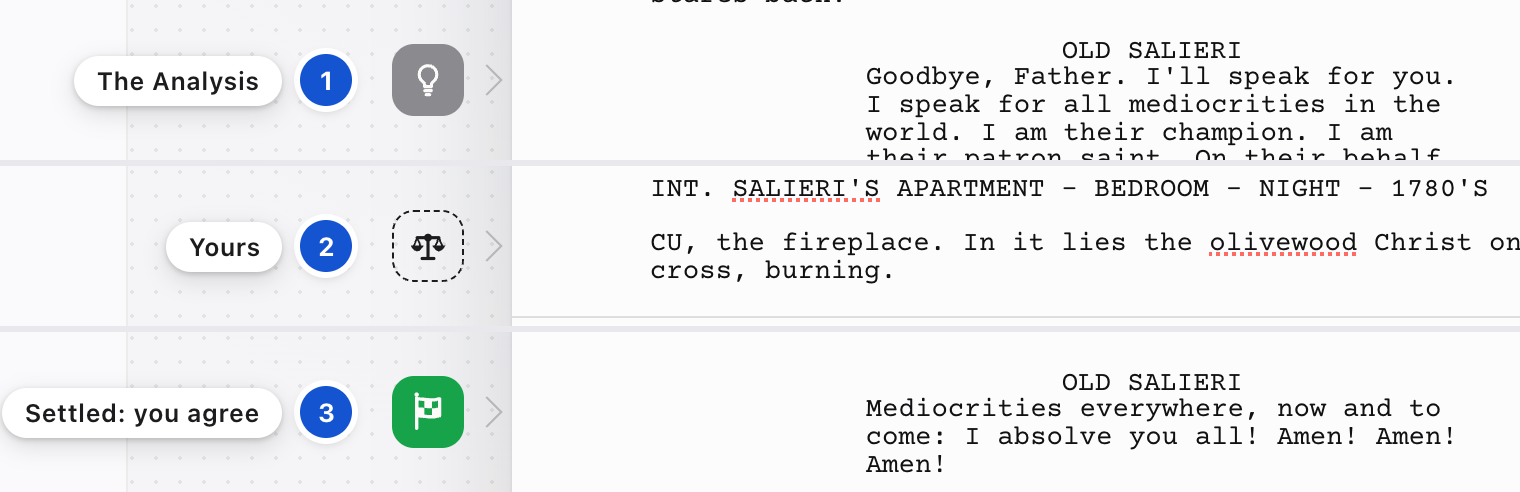
Each Anchor Beat also shows as a small chip in the margin beside its line. A gray chip is where the Analysis reads the beat. A chip with a dashed outline is one you placed yourself. A chip in the beat's full color means you and the Analysis agree on the line. That is called Settled, and nothing else earns color.
Step 4 of 7
Place a beat yourself
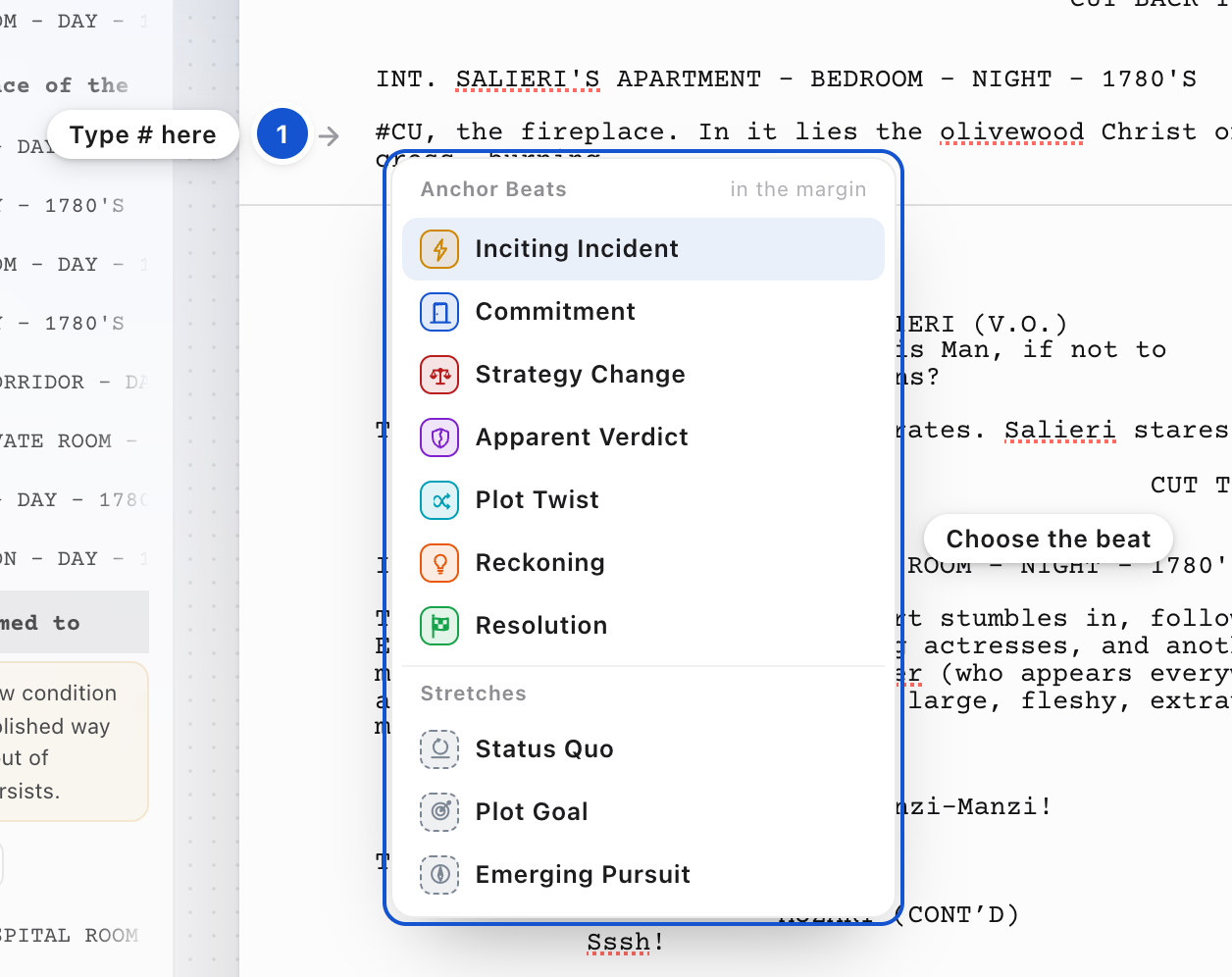
Type # at the start of the line you mean, even a line that already has words, and choose the beat from the list. The # goes away and a chip appears in the margin, so nothing is written into your line. The same list holds the three Stretches too. Drag a chip to move it to another line. You can also press any beat row inside a scene in the Structure, then press Mark as an Anchor Beat.
Step 5 of 7
Agree, or take it back
Open a beat only the Analysis has placed and press Agree. Your mark joins it on that line, and its chip turns the beat's color.
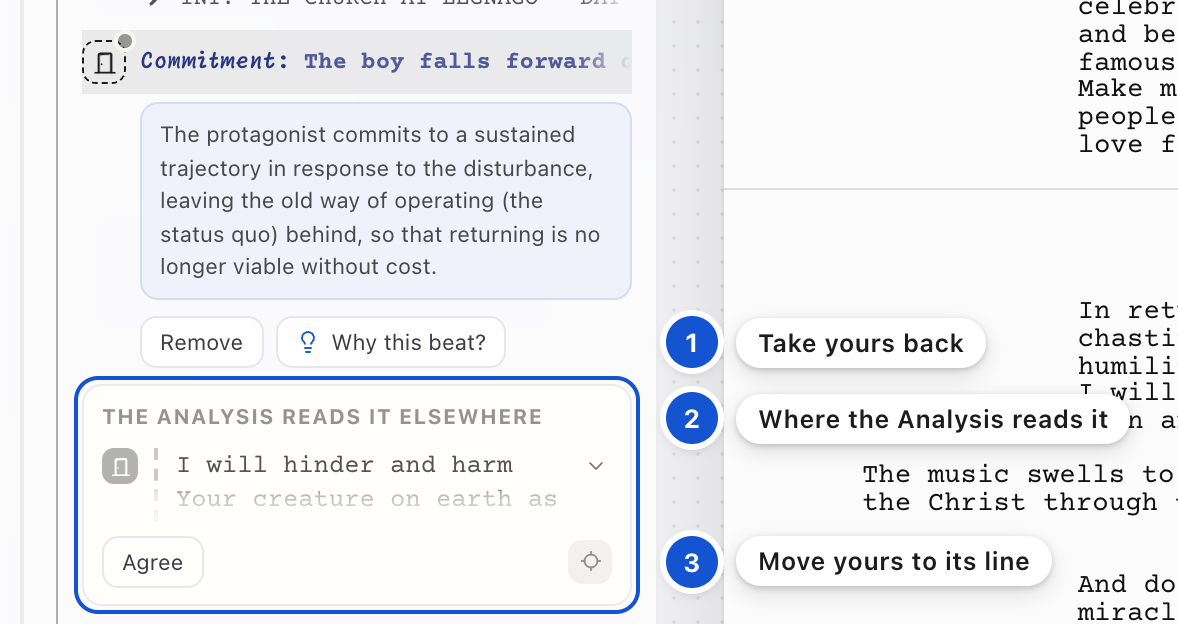
If you placed a beat on a different line from the Analysis, its row shows a box headed The Analysis reads it elsewhere, with the Analysis's line and an Agree of its own. Press that Agree to move your mark to the Analysis's line. Press Remove to take your mark away. To take back an agreement, open the beat and press Disagree.
Keep your own placement when you mean it. The gap between where you put a beat and where the Analysis reads it is often where the rewrite is.
Step 6 of 7
Write your Status Quo, Plot Goal and Emerging Pursuit
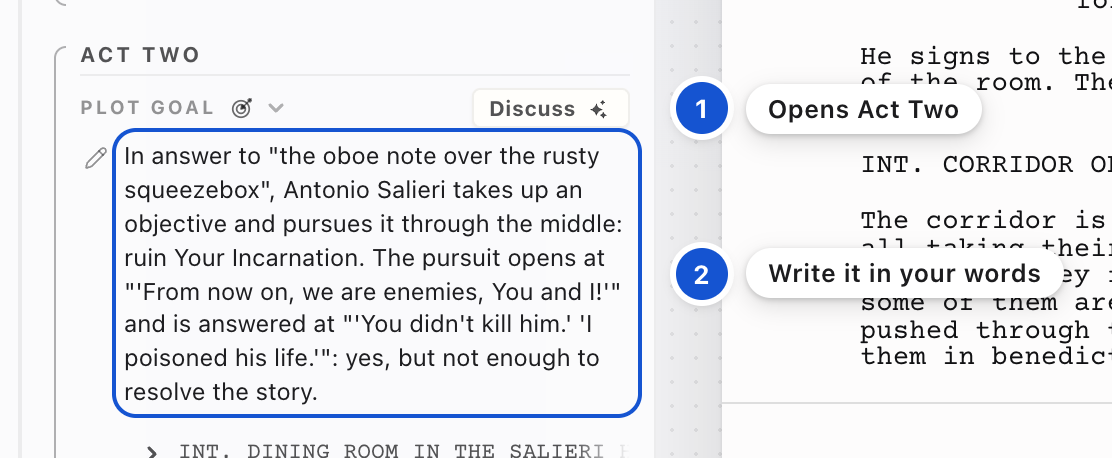
These three Stretches open the acts: the Status Quo opens Act One, the Plot Goal Act Two, and the Emerging Pursuit Act Three. Each sits folded at the head of its act. Press it to open it. Until you write your own, you read the Analysis's wording there. Click into the words and write. Enter keeps your words, and Escape puts the old ones back. Discuss, beside it, talks it through with the Advisor.
Step 7 of 7
Talk a beat through
Rest the pointer on a beat's row and press the speech bubble, Say something about this beat. Messages opens with the beat's line waiting above where you type, and the caret ready for your question. In Messages you can also type # to point at any of the seven.

Why it works this way
It's a reading, not a grade. There is no score anywhere in the studio.
Good to know
- The seven Anchor Beats are the Inciting Incident, the Commitment, the Strategy Change (at the middle of the story), the Apparent Verdict, the Plot Twist, the Reckoning and the Resolution. Four of them had other names before, the Break Into Two, the Midpoint, the End of Act Two and the Realization, and the studio still knows those.
- The Analysis is a reading of a saved Draft. Switch the toggle to Working Pages to see your rewrite read against it, and Save a Draft when you want a full Analysis of the pages as they stand.
- On a phone, Structure, Script and Comments sit side by side under the top bar. Tap Structure, or slide the page sideways.
- The Flow, an icon in the left strip, is a picture of the pressure across your script. A band thickens where the story pushes hardest, one color per storyline. It isn't a verdict, and you can ignore it.
In this guide, on the feature list
The Structure: your acts, scenes and the seven Anchor BeatsEach Anchor Beat shows the line it was read fromSee who placed each Anchor BeatMark any beat as one of the seven Anchor BeatsAgree or Disagree with the Analysis on an Anchor BeatWrite your Status Quo, Plot Goal and Emerging PursuitDiscuss any Anchor Beat with the AdvisorActs that follow your Anchor BeatsThe Flow, a picture of your story's pressure
 The big picture · An articleThe ancient art: Storytelling